Skip to content
View in the app

A better way to browse. Learn more.

Ultimate Subaru Message Board

A full-screen app on your home screen with push notifications, badges and more.

To install this app on iOS and iPadOS
  1. Tap the Share icon in Safari
  2. Scroll the menu and tap Add to Home Screen.
  3. Tap Add in the top-right corner.
To install this app on Android
  1. Tap the 3-dot menu (⋮) in the top-right corner of the browser.
  2. Tap Add to Home screen or Install app.
  3. Confirm by tapping Install.

Patrick H

Members
  • Joined

  • Last visited

  1. Some more pics One more for the damage report
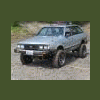
  2. Ya, now # 2. Figured out the main problems. Took some measurements on the rear wheel travel, under a 1/2" from stock on downward travel, so good there. Upward travel though, upto 3"+ past stock. So gonna put in some bumpstops, and fab up different mustache bar set up.
  3. Had fun on this trip, dispite the trouble i had...... Know what I need to do to make it better now. Thanks Jeff and thanks again scott for use of the jack a couple times.
Account

Navigation

Search

Search

Configure browser push notifications

Chrome (Android)
  1. Tap the lock icon next to the address bar.
  2. Tap Permissions → Notifications.
  3. Adjust your preference.
Chrome (Desktop)
  1. Click the padlock icon in the address bar.
  2. Select Site settings.
  3. Find Notifications and adjust your preference.