opus
Members
-
Joined
-
Last visited
-
opus replied to opus's topic in 1990 to Present Legacy, Impreza, Outback, Forester, Baja, WRX&WrxSTI, SVXOk, thats what I was thinking; 180 on the crank is 90 on the cam. That clears it up for me.
-
I always adjust them when I have the heads off. Tell me about doing it with the belt on. Manual says LH side crank arrow up is TDC, do #1, then rotate 180, do #3, rotate 180 do #2, rotate 180 do #4. However, i see people doing it TDC then 90º, then another 90, etc. I'm assuming it can be done either way?
-
opus replied to opus's topic in 1990 to Present Legacy, Impreza, Outback, Forester, Baja, WRX&WrxSTI, SVXI've been using these belts/idlers for 15 years without an issue. Just don't see it as a belt failure..... yet. Going to dig more, we'll see
-
opus replied to opus's topic in 1990 to Present Legacy, Impreza, Outback, Forester, Baja, WRX&WrxSTI, SVXAuto. I have never seen a belt break like this. Not disagreeing with you though. Its not like there is a lot of stress on the belt when its rotating. If something had locked up. I would think I would notice something on the cog side. I'll have to take a better look.
-
opus replied to opus's topic in 1990 to Present Legacy, Impreza, Outback, Forester, Baja, WRX&WrxSTI, SVXMe. No damage. Thats what I was thinking too. I dont know what though.
-
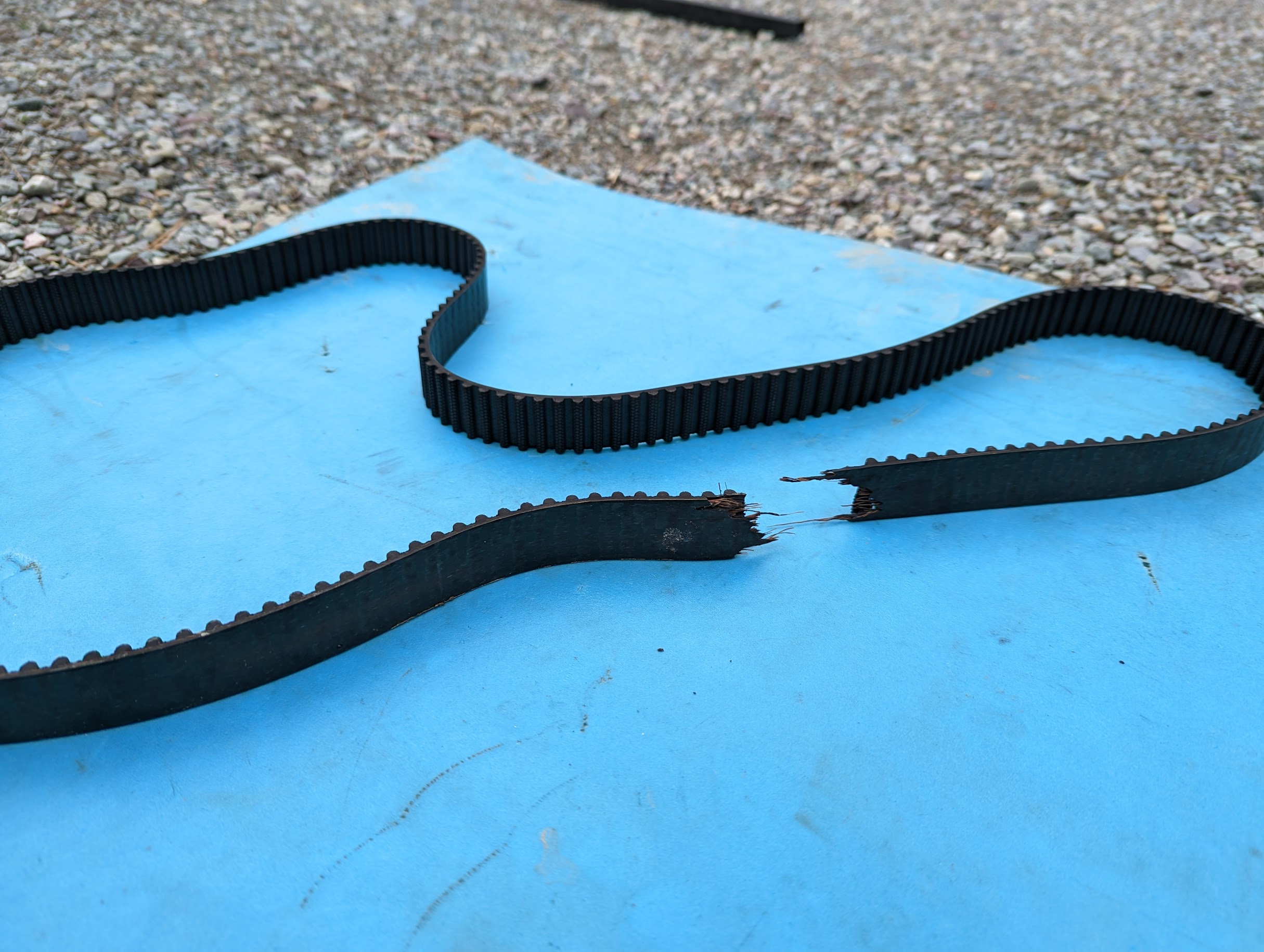
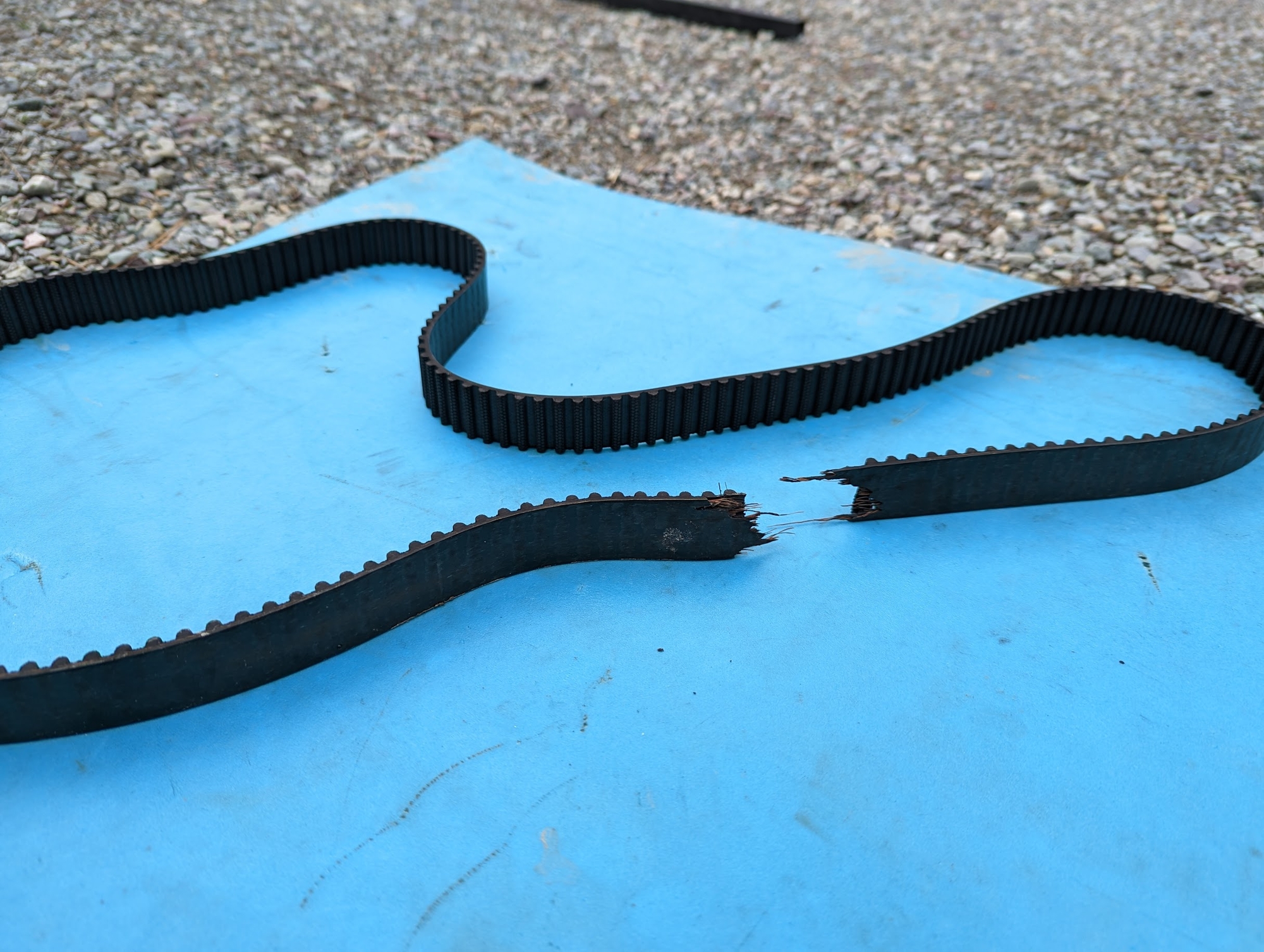
opus replied to opus's topic in 1990 to Present Legacy, Impreza, Outback, Forester, Baja, WRX&WrxSTI, SVXBelt.....
-
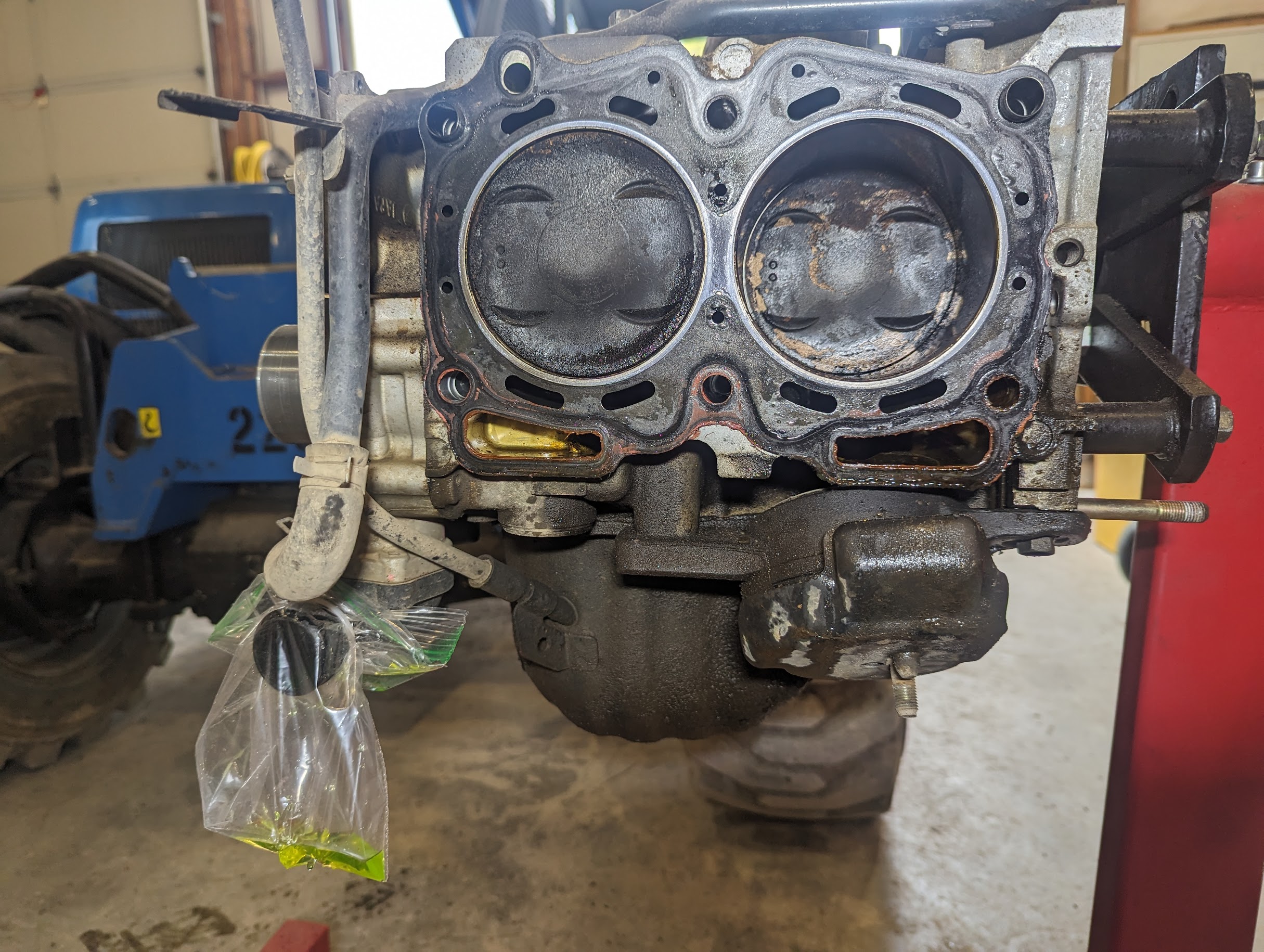
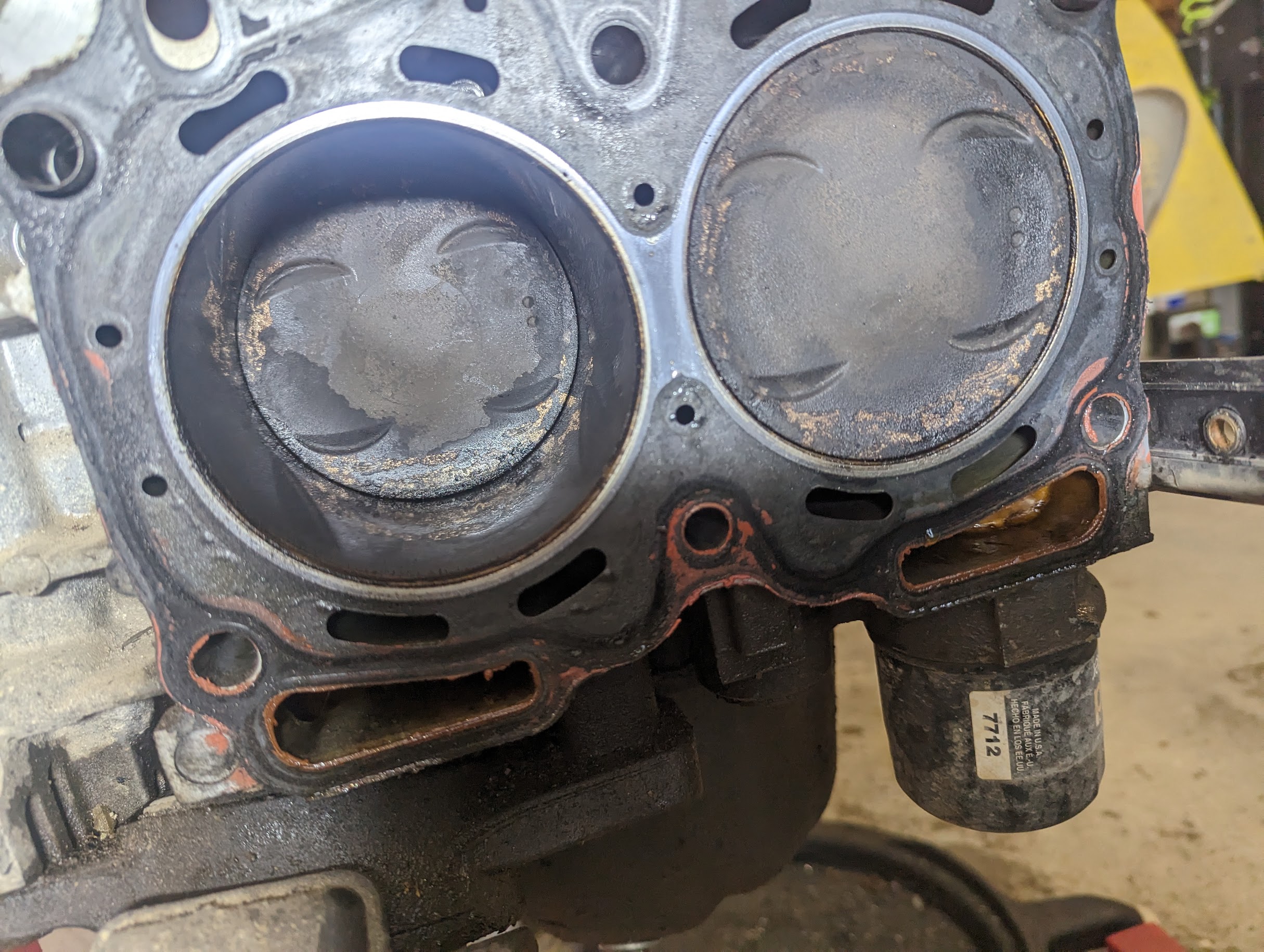
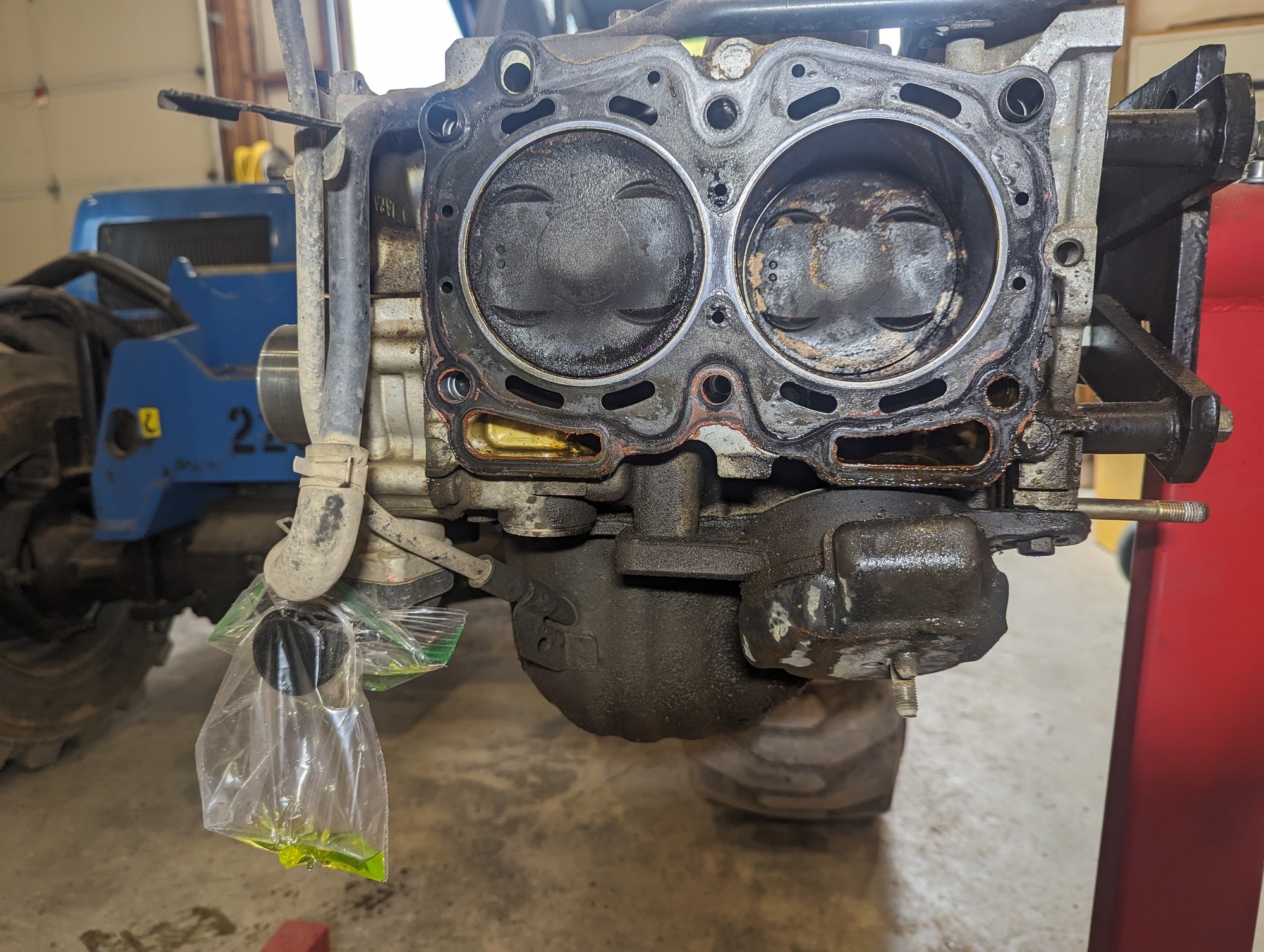
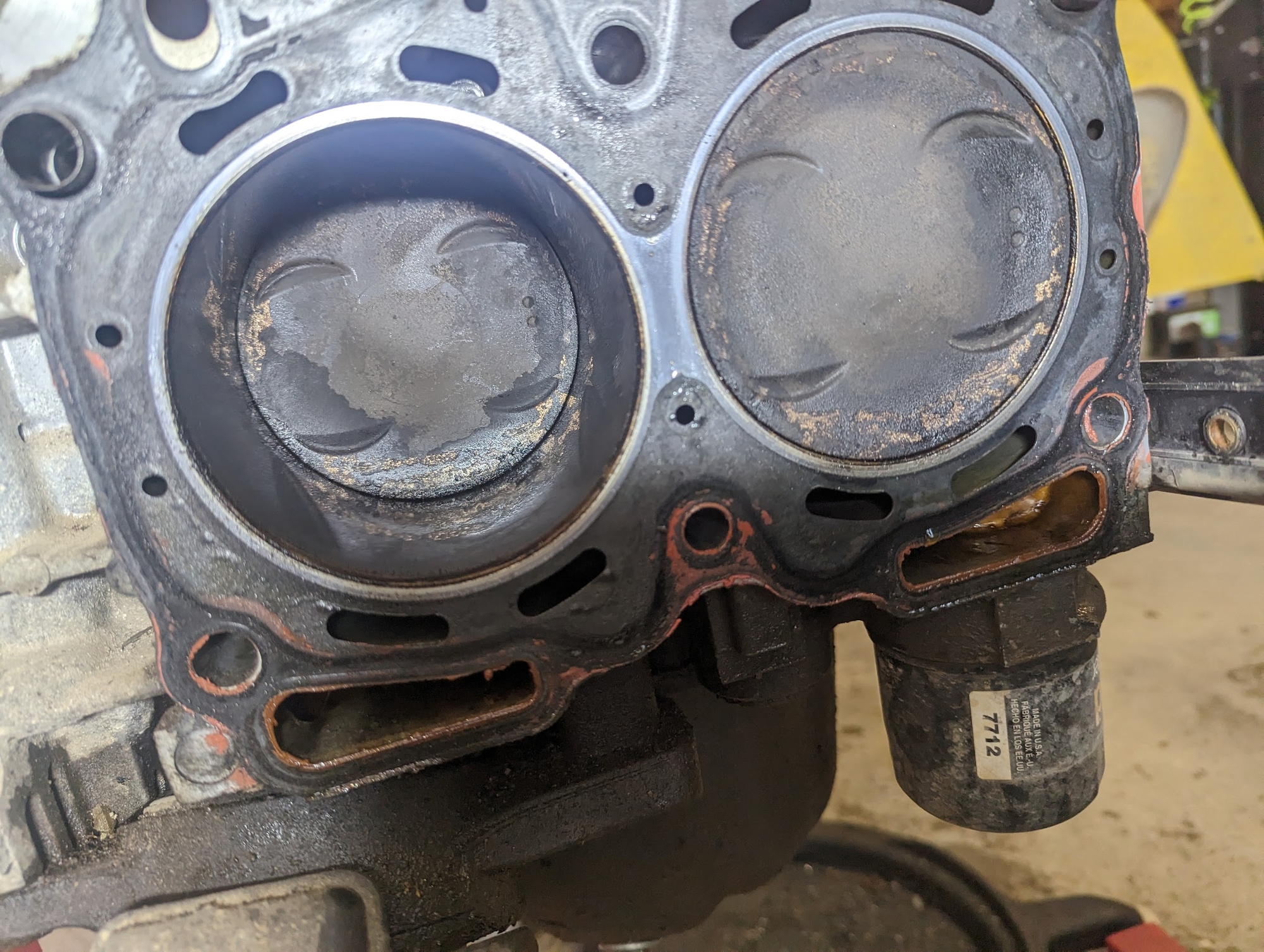
'02 OB belt broke, said she was doing 70. Pass side exhaust valves are bent. Belt was 11k miles on it and it looked like someone tried to pull a stump with it. I was expecting to find a camshaft welded or snapped, both were fine. What am I missing?
-
opus replied to opus's topic in 1990 to Present Legacy, Impreza, Outback, Forester, Baja, WRX&WrxSTI, SVXI found heads. Everything for me has to be online. Any machine shop, parts yard, etc is 150+ miles away.
-
opus replied to opus's topic in 1990 to Present Legacy, Impreza, Outback, Forester, Baja, WRX&WrxSTI, SVXI'm having no luck finding heads without getting borked. Where's a good place for valves, seats, guides?
-
opus replied to opus's topic in 1990 to Present Legacy, Impreza, Outback, Forester, Baja, WRX&WrxSTI, SVXNo oil consumption or leaks. 200k 2nd owner, very well maintained. It goes away 90% but pretty quiet warmed up..
-
I have a good driver but it has piston slap. Belt apparently broke. Do I bother putting rebuilt heads on it since it has slap?
-
opus replied to opus's topic in 1990 to Present Legacy, Impreza, Outback, Forester, Baja, WRX&WrxSTI, SVXThats what it was. Pump was either creating too much suction or thrashing too much air, etc. Pulled thermostat, opened it up and stuck an aspirin in it to hold it open. Put it back in, all is now right in the world.
-
opus replied to opus's topic in 1990 to Present Legacy, Impreza, Outback, Forester, Baja, WRX&WrxSTI, SVXThe thermostat was just fine before I put the pump in, its not that. There was never an issue until a pump the water pump in. Head gaskets dont go. bad by putting a new water pump in. I do however think its the aftermarket pump I put in, cavitation. I ran it without a thermostat for 20 minutes.
-
opus replied to opus's topic in 1990 to Present Legacy, Impreza, Outback, Forester, Baja, WRX&WrxSTI, SVXUsing a Stant thermostat. A thermostat is a thermostat. Either it works or it doesnt. I have put 2 of them in boiling water and the both open evenly. 2 days ago, the thermostat was fine. I've done at least a handful of these with no issues. When it was good and hot, I popped the thermostat out....the one that I have been using with no issues......it was still closed. I honestly think its steam pockets thats causing it. Lower hose is cool but trust me, there are no air pockets. I pulled every line off the top of the engine and bled it that way. Water pump has good circulation with the thermostat out.
-
opus replied to opus's topic in 1990 to Present Legacy, Impreza, Outback, Forester, Baja, WRX&WrxSTI, SVXNew water pump. I flushed the block both ways and there are no blockages, nor clogged lines. This is my car. Its not the headgaskets. I ran it 20 miles with no thermostat. Its a new long block I built 9k miles ago. I've been driving it daily with no issues. You dont just drain coolant one day and have it all fall apart the next day. There was nothing wrong with the car before I drained the coolant. What I am thinking is that pure water is boiling fast, creating steam pockets and not letting the thermostat open. Now that I have slept on it some.