holland_patrick
Members
-
Joined
-
Last visited
-
maybe because you couldn't watch any channel with out seeing a ad for the B-9... There was not ad's for they baja.. except for now.. NE subaru has a 2-3 second shot of it driving away.. irony it's it.:-\
-
This is just not true....
-
looking at the front I don't think 15 will clear either. I guess i'm suck with car tires because I'm not ready to lift it yet
-
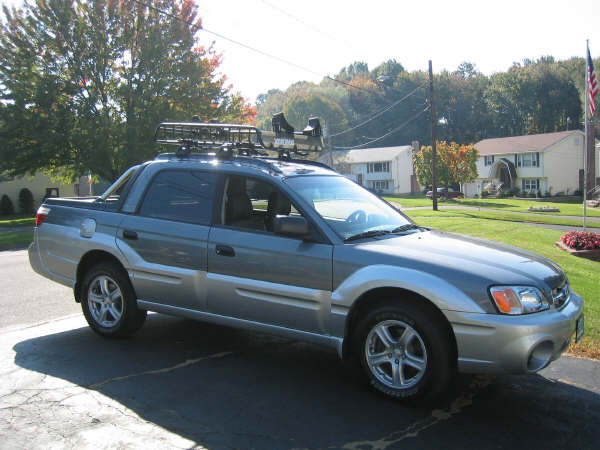
What can I put on a stock baja that will be more Truck like???? no lift or mods.. patrick
-
holland_patrick replied to JT95's topic in 1990 to Present Legacy, Impreza, Outback, Forester, Baja, WRX&WrxSTI, SVXI have had one for two week now and love it. i have a 3 y/odaug who fit in the back fine my is n/a and i do wish it had more power but hay reg fuel and better milage sealed the deal agaist the turbo. i would buy this again in a heart beat dark on light silver mud flaps and bed ext. 21,900 out the door what a deal.. ps if you optioned out the toy it would be more expensive..
-
holland_patrick replied to burke615's topic in 1990 to Present Legacy, Impreza, Outback, Forester, Baja, WRX&WrxSTI, SVXBraking in an engine.. well I seen people baby then i seen people beat on them... I'm a Beater.... My last truck 95 Jeep Cherokee with a standard 4.0l took a ton of beating and she loved it and I got 200k with out a skip no major leaks or drips.and she NEVER burned oil. so with my new Non Turbo baja.. I have been driving a little easier(getting older needing better MPG) but i have had it up there (!!% the other night) I might get the oil filter magnets and will get my oil fiter changed and put in syth oil patrick