Skip to content
View in the app

A better way to browse. Learn more.

Ultimate Subaru Message Board

A full-screen app on your home screen with push notifications, badges and more.

To install this app on iOS and iPadOS
  1. Tap the Share icon in Safari
  2. Scroll the menu and tap Add to Home Screen.
  3. Tap Add in the top-right corner.
To install this app on Android
  1. Tap the 3-dot menu (⋮) in the top-right corner of the browser.
  2. Tap Add to Home screen or Install app.
  3. Confirm by tapping Install.

wub_04

Members
  • Joined

  • Last visited

Everything posted by wub_04

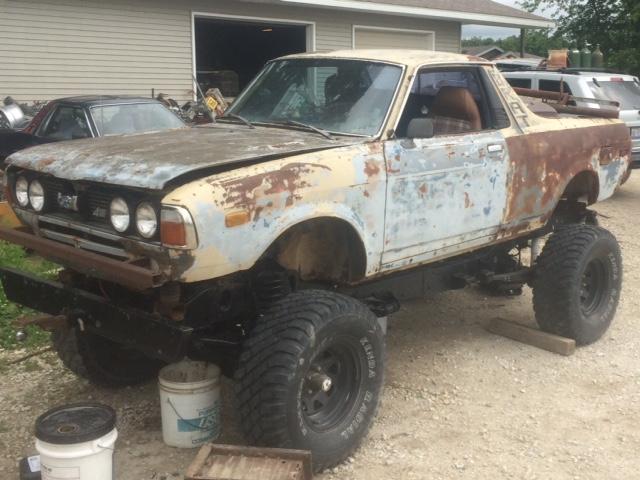
  1. I've been trying to find a good pocket style fender flare for my brat but unsure which one to choose I know the bushwhacked flares for the Toyota pickup wouldn't be bad but I don't want the notch for the fuel door in them
  2. So tell me what you think and maybe ideas on what to paint it
  3. I took a little bit of foreign innovation and mixed it with good old American muscle.
Account

Navigation

Search

Search

Configure browser push notifications

Chrome (Android)
  1. Tap the lock icon next to the address bar.
  2. Tap Permissions → Notifications.
  3. Adjust your preference.
Chrome (Desktop)
  1. Click the padlock icon in the address bar.
  2. Select Site settings.
  3. Find Notifications and adjust your preference.