nyguy75
Members
-
Joined
-
Last visited
-
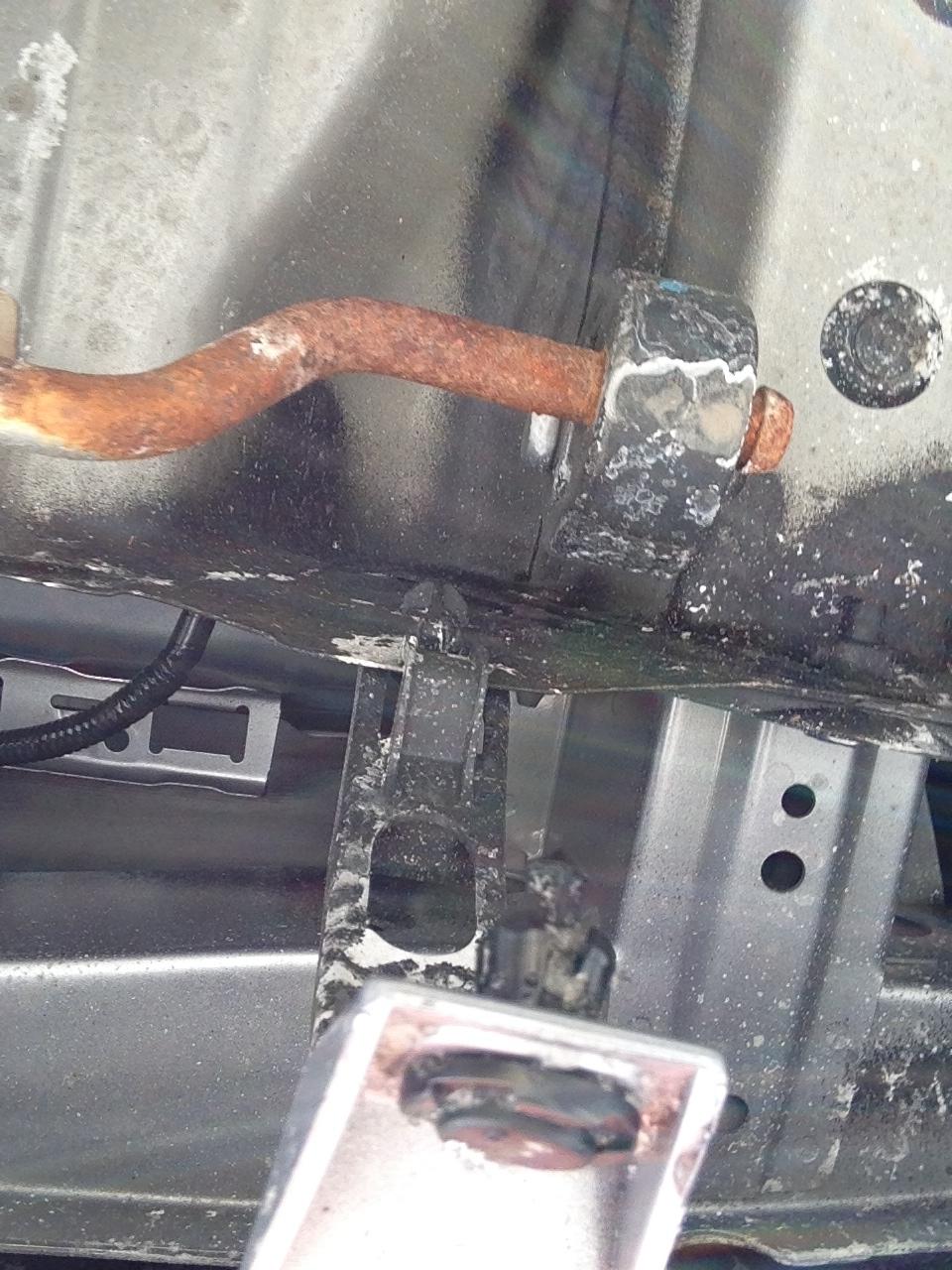
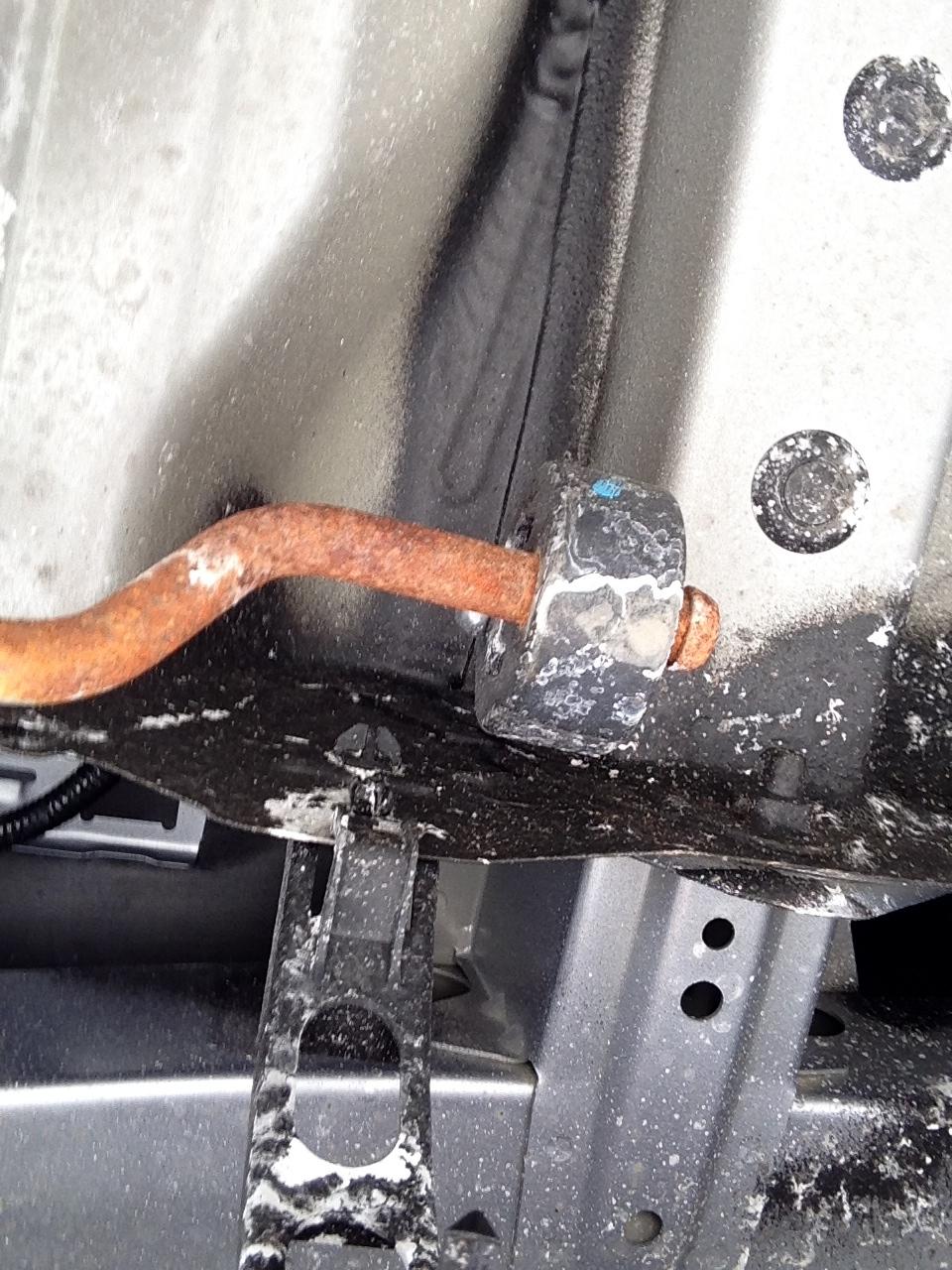
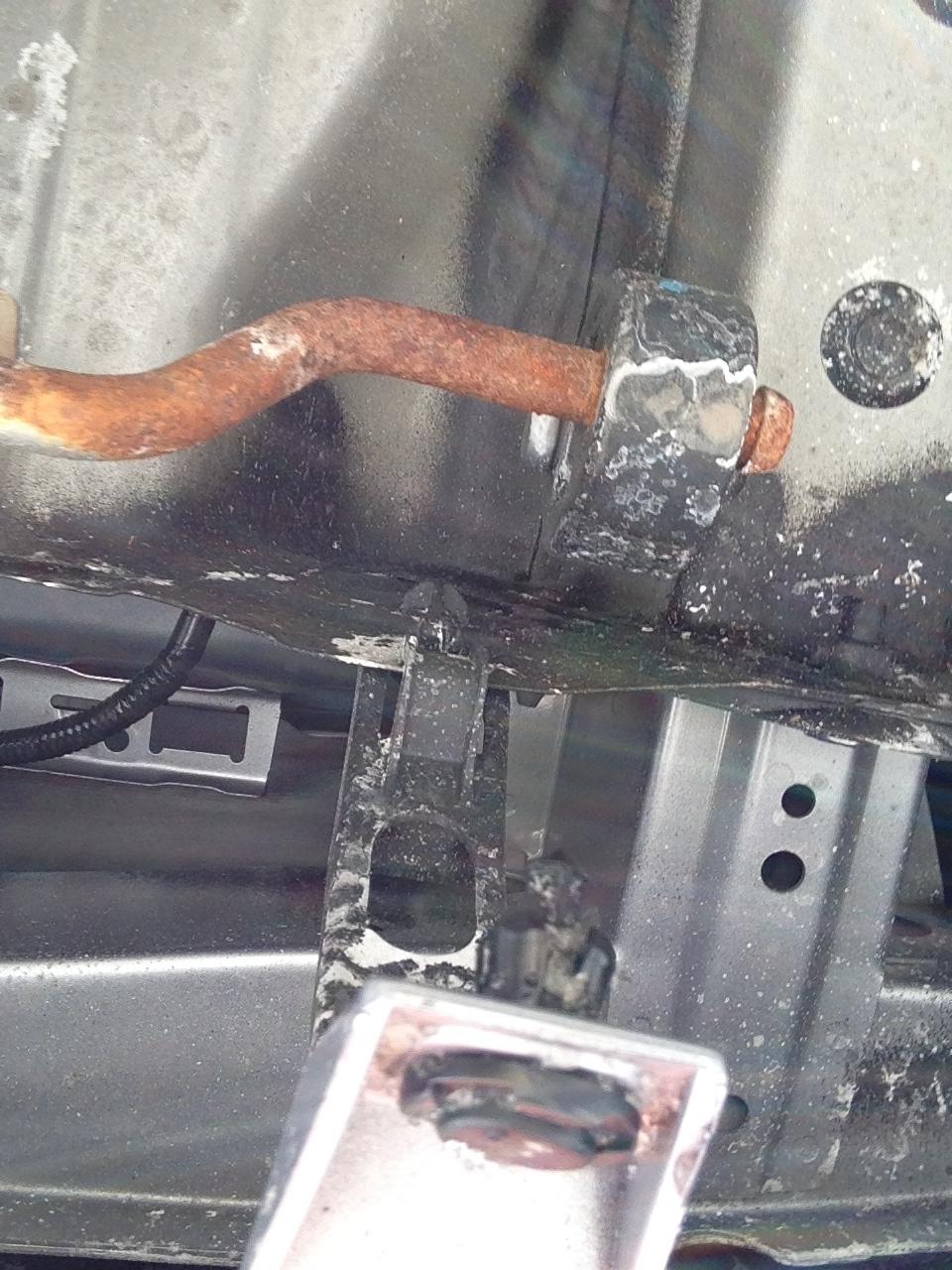
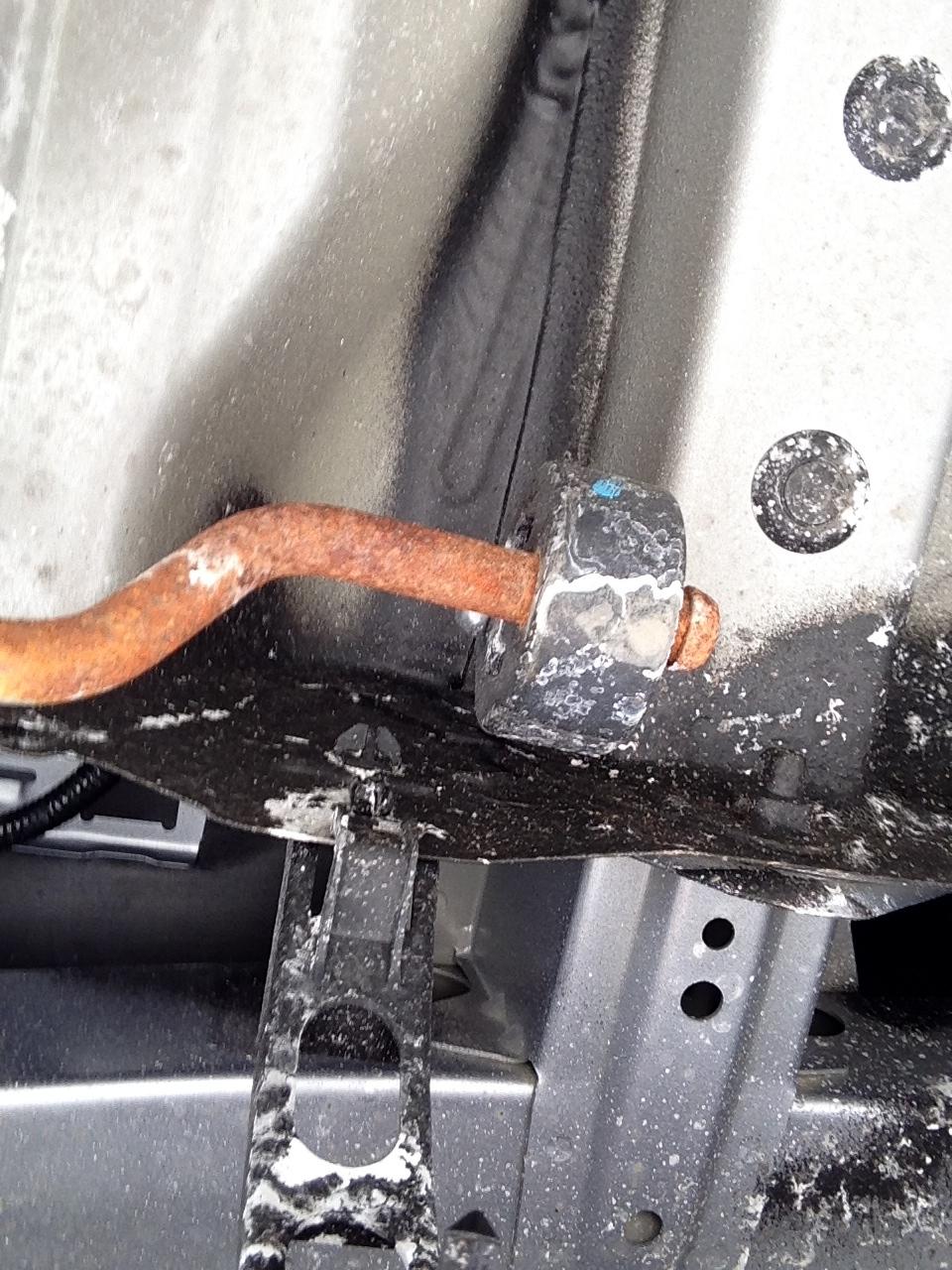
Hello, First time posting to USMB. My Crosstrek Hybrid Touring was purchased this past January and was immediately thrown into one of the worst winters NY has seen in a long time. It performs very well in the snow, in case anyone was wondering. I have a question regarding the rear undercarriage of my new Crosstrek Hybrid Touring. The pictures attached show a partially rusted rod that is inserted into something cylindrical and black in color. Can anyone please tell me what that is and why it would be rusted or heat damaged? (salt, heat?) Is this something to worry about or worse needs to be replaced? **this is a repost. I asked this question in the Crosstrek thread. Sorry, I'm a noob.
-
Hello, First time posting to USMB. My Crosstrek Hybrid Touring was purchased this past January and was immediately thrown into one of the worst winters NY has seen in a long time. It performs very well in the snow, in case anyone was wondering. I have a question regarding the rear undercarriage of my new Crosstrek Hybrid Touring. The pictures attached show a partially rusted rod that is inserted into something cylindrical and black in color. Can anyone please tell me what that is and why it would be rusted or heat damaged? (salt, heat?) Is this something to worry about or worse needs to be replaced?