ronniebraley
Members
-
Joined
-
Last visited
Everything posted by ronniebraley
-
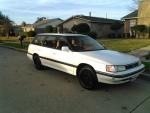
Hello ALL! We are the proud new owner of a 1990 Subaru Legacy Wagon 2.2 L engine. I really like the looks of my wife's new car she chose, however there are a few bugs that need to be worked out at the time. I don't want to sell my wife's car as she loves the way it handles and drives, not to mention the overall rating that it has gotten in the past goes over really well with her. This car is mainly used for local travel and toting the grand kids back and forth to school. I don't feel as if she has gotten as much use or enjoyment out if it as I know she can. We had bought it for $1,500 off craigslist and have put about $300 back into it. Need help figuring out: Overheating..... Replaced the water pump, thermostat, and seals. Still overheats Windows; Driver, sunroof, windows work but the rear and passenger windows do not. Is it the switch? Is it a wiring problem? What is it? Thanks for any help at all. Ronnie- shade tree mechanic new to Subaru.
-
ronniebraley replied to rverdoold's topic in 1990 to Present Legacy, Impreza, Outback, Forester, Baja, WRX&WrxSTI, SVXhttp://youtu.be/7JWB2dmHVSE
-
Hello I am a new owner of a 1990 Subaru Legacy station wagon I had bought for $1,700.00, here in Balch Springs, Texas I am in the process of working out all of the kinks of this car and I apriciate any and all help from other owners of the same make and model as I have. I know nothing about Subarus or what they can become. Right now I am hunting down: Power window switch unit. Speedometer cable noises.