beertatsu
Members
-
Joined
-
Last visited
Everything posted by beertatsu
-
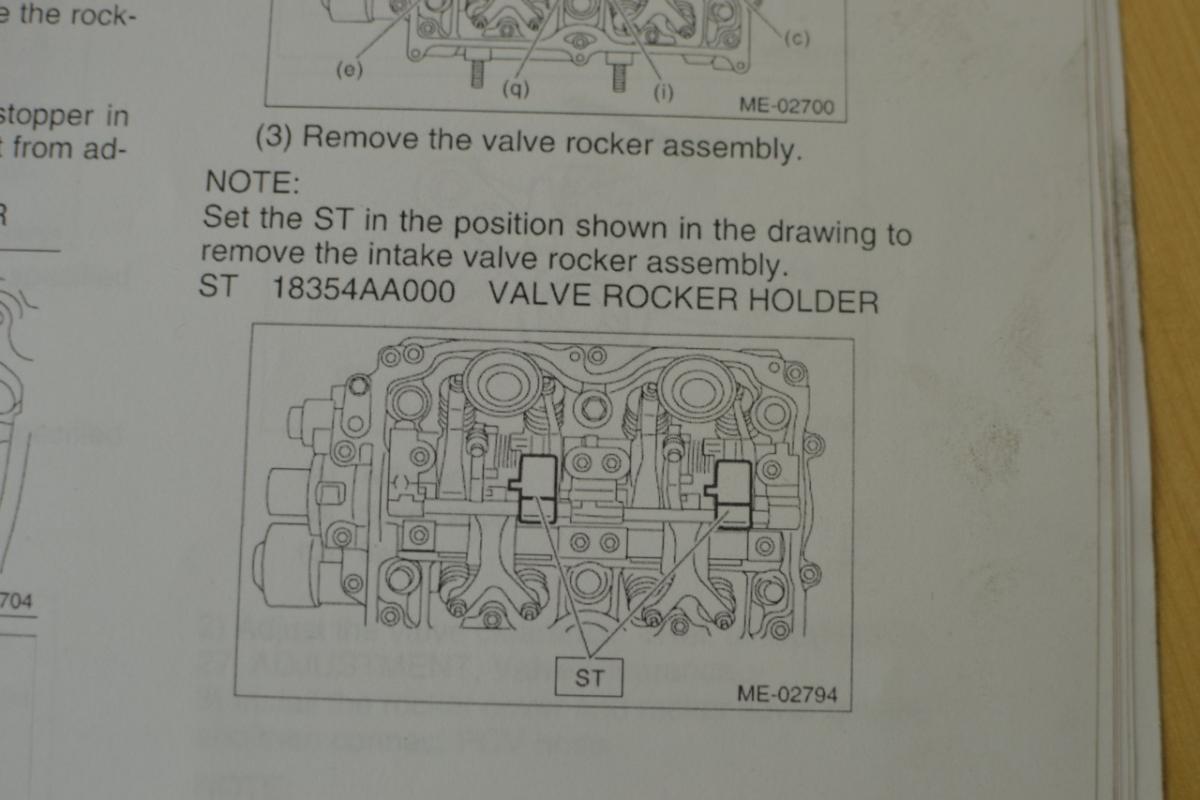
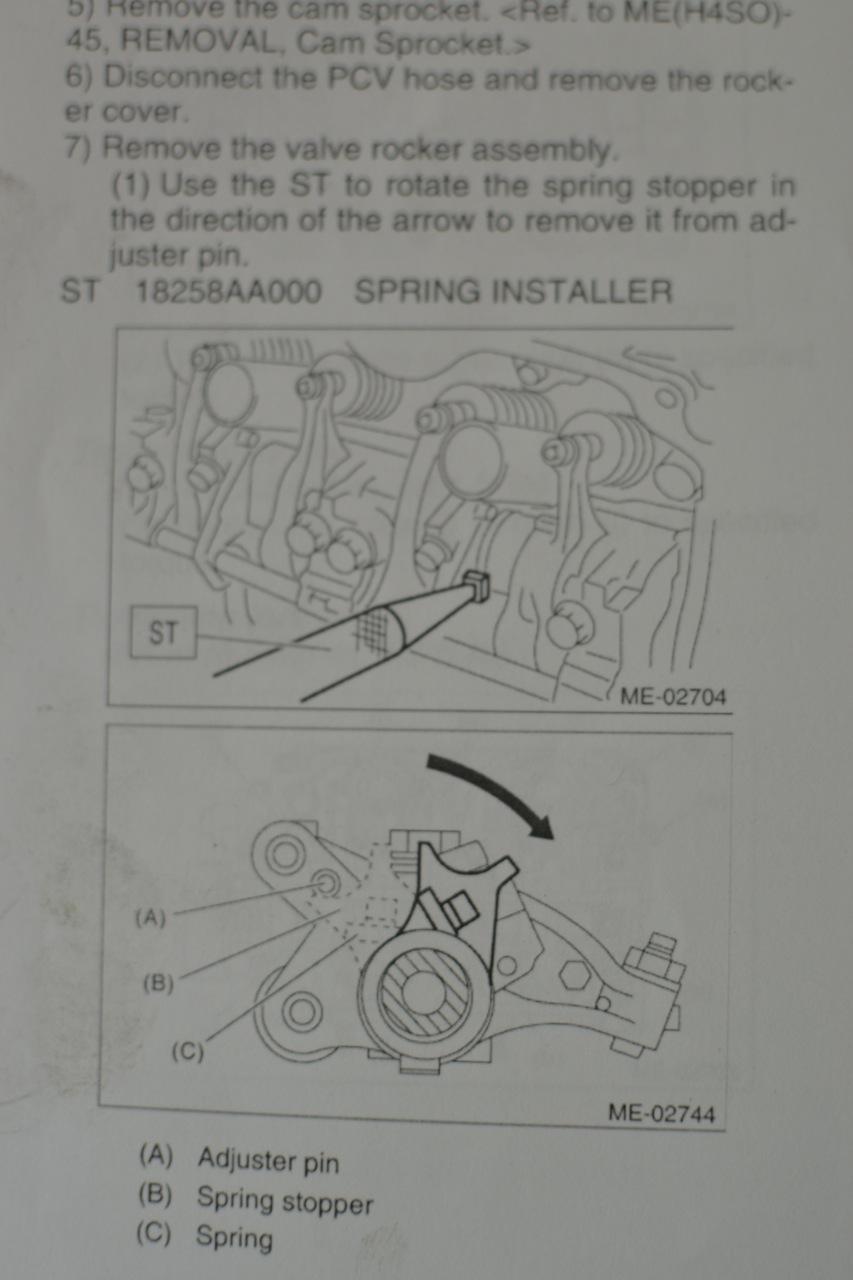
beertatsu replied to beertatsu's topic in 1990 to Present Legacy, Impreza, Outback, Forester, Baja, WRX&WrxSTI, SVXThank you emily. But my question is not about bolt type. I have torx bits. My question might not be clear. I'm not an English native. Subaru manual (and Hynes is giving just copy of this) says I have to move "spring stopper" before removing this assembly. This looks like since this model year, 2006, EJ25 has active valve control and before this model year, these tools were not necessary. The manual says use 18258AA000 (spring installer) for moving "spring stopper". And they says also use 18354AA000 (valve rocker holder) for fixing positions of intake rocker assembly. So, Emily, you did this on 2006 or newer engine without these tools? Does anybody have any information?
-
Hi, I need to replace head gaskets for 2006 Outback 2.5i. While my daughter is using this car, radiator got blown. This has EJ253 with active valve system. I got these cylinder head off now. Subaru manual says I need special tools to remove valve rocker assembly, 18258AA000 and 18354AA000. Does anyone know this can be done without these tools or not? Just undo fastners for the assembly and cam bearing doesn't work? If I can, I will remove valves and replace seals. If not I wll replace head gaskets and valve cover gaskets only. Any imput, idea? Thanks.