Skip to content
View in the app

A better way to browse. Learn more.

Ultimate Subaru Message Board

A full-screen app on your home screen with push notifications, badges and more.

To install this app on iOS and iPadOS
  1. Tap the Share icon in Safari
  2. Scroll the menu and tap Add to Home Screen.
  3. Tap Add in the top-right corner.
To install this app on Android
  1. Tap the 3-dot menu (⋮) in the top-right corner of the browser.
  2. Tap Add to Home screen or Install app.
  3. Confirm by tapping Install.

jmvandal

Members
  • Joined

  • Last visited

Everything posted by jmvandal

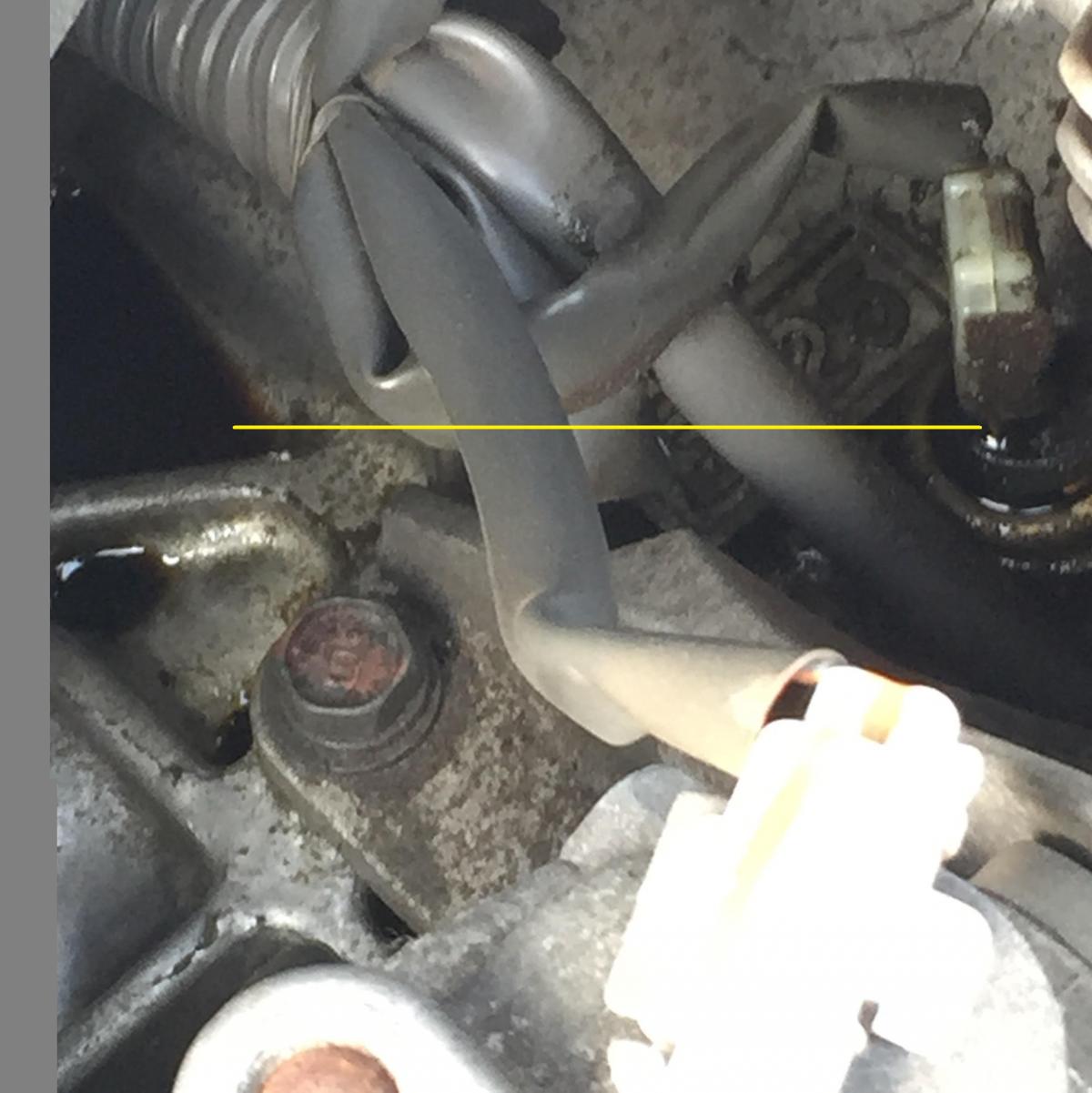
  1. I have a 2007 Subaru Outback w/ 150K, it uses about a quart every 3K miles; which isn't unreasonable, I would prefer none but I am a realist in this case, it uses oil, I check and fill as necessary......... However, recently, w/in the last 5-10K I have been noticing a burned oil smell coming from the engine and a little more oil consumption or loss in this case than normal. I have attached an image illustrating from left to right a pool of oil which seems to be coming from a 'sensor'; Can someone confirm what the component actually is? Originally thought it may be an oil pressure sensor, but the location seems a bit off from pictures I have located. Hopefully someone can set me straight. I am fairly handy and this seems like it would be easy to change. Any and all help is appreciated.
Account

Navigation

Search

Search

Configure browser push notifications

Chrome (Android)
  1. Tap the lock icon next to the address bar.
  2. Tap Permissions → Notifications.
  3. Adjust your preference.
Chrome (Desktop)
  1. Click the padlock icon in the address bar.
  2. Select Site settings.
  3. Find Notifications and adjust your preference.