xntryk1
Members
-
Joined
-
Last visited
Everything posted by xntryk1
-
xntryk1 replied to xntryk1's topic in 1990 to Present Legacy, Impreza, Outback, Forester, Baja, WRX&WrxSTI, SVXThank you, Sooberoo! I'll give that a try.
-
xntryk1 replied to xntryk1's topic in 1990 to Present Legacy, Impreza, Outback, Forester, Baja, WRX&WrxSTI, SVXMaybe. It's just odd that there's NOTHING online about it. Seems like something a lot of people would be interested in. Which leads me to believe it might not exist at all...
-
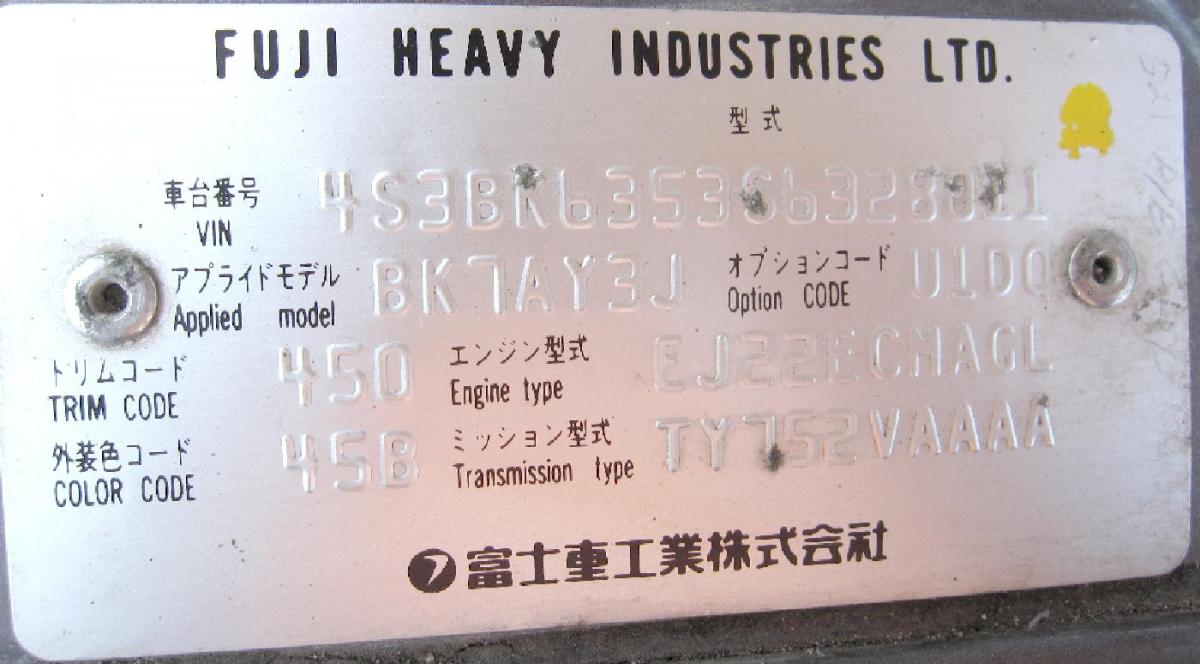
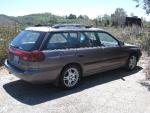
New owner of an old Subaru, here. I'm trying to decipher the codes on the metal engine compartment plate. So far, I've managed to break down the VIN as follows: 1995 Legacy L 2nd generation non-raised roof station wagon with 2200cc engine and full-time AWD (made in Lafayette, Indiana). But where can I find information on "Applied Model", "Option Code", "Trim Code" and "Color Code"? I did a search of the forums, but didn't find anything that defines the specific codes on my particular plate. Any assistance greatly appreciated. Thanks!