stevieq
Members
-
Joined
-
Last visited
-
stevieq replied to stevieq's topic in 1990 to Present Legacy, Impreza, Outback, Forester, Baja, WRX&WrxSTI, SVXThanks for the post fairtax4me. I pulled it back pretty easily and no longer up against belts. I'm able to see that neither radiator fan is spinning so gonna change those out first before doing the radiator.
-
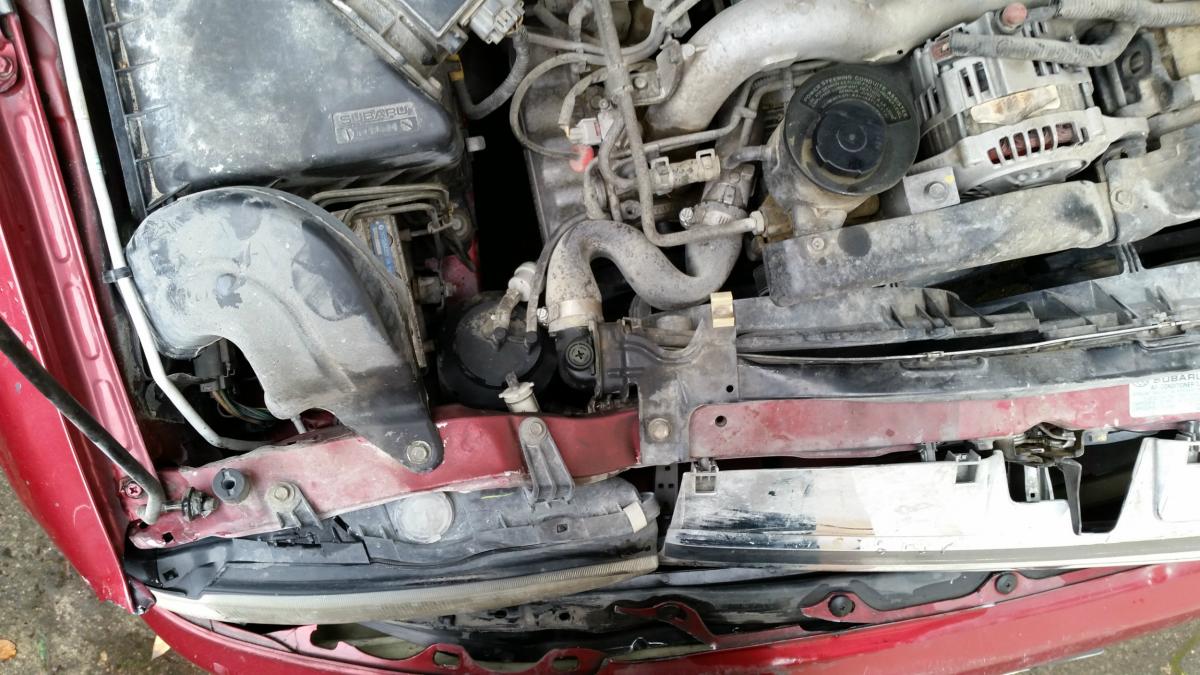
stevieq replied to stevieq's topic in 1990 to Present Legacy, Impreza, Outback, Forester, Baja, WRX&WrxSTI, SVXYes. It did move the whole radiator back so that the fans hit the timing belt etc. I'll check the lower radiator hose. I included a larger pic to show extent of damage. Thanks for the reply porcupine73
-
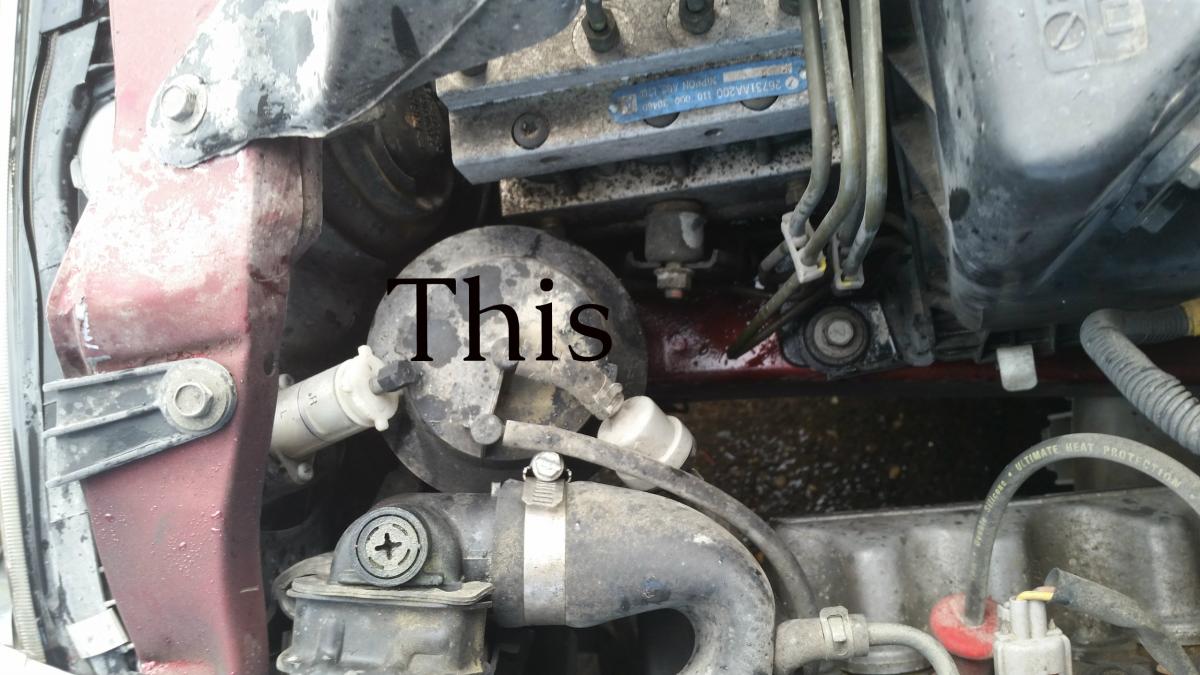
Hi Folks. I need a little help identifying part with round top to left of the radiator. (see pic) Recently rear ended somebody and mashed in the radiator wall. Now car overheats after 5 min of driving. The part to the left of radiator was smoking last I tried to drive it and when I tried to blast hot air, only cold air comes out of the vents. I'm going to try to swap the radiator, fans and unknown part myself. Don't want to junk the car, engine is great and frame alignment is fine. Any help or tips would be great. Thanks!