Skip to content
View in the app

A better way to browse. Learn more.

Ultimate Subaru Message Board

A full-screen app on your home screen with push notifications, badges and more.

To install this app on iOS and iPadOS
  1. Tap the Share icon in Safari
  2. Scroll the menu and tap Add to Home Screen.
  3. Tap Add in the top-right corner.
To install this app on Android
  1. Tap the 3-dot menu (⋮) in the top-right corner of the browser.
  2. Tap Add to Home screen or Install app.
  3. Confirm by tapping Install.

a_dam_rut

Members
  • Joined

  • Last visited

  1. Here is a video I found explaining what makes the noise. The YouTube channel engineering explained is pretty cool btw.
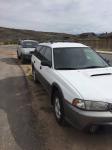
  2. I know it's an old post but I have the same problem with my 99 legacy outback. Is it the Same mechanism as your 94? From what I have read it is the same, but after a quick look i didn't see any screws to adjust the striker in the bottom. Do you have to take off the plastic panels around it? I did notice that the spring loaded rubber stop on the drivers side is really rusty and doesn't slide as easily as the other one. But it does extend all the way out.
Account

Navigation

Search

Search

Configure browser push notifications

Chrome (Android)
  1. Tap the lock icon next to the address bar.
  2. Tap Permissions → Notifications.
  3. Adjust your preference.
Chrome (Desktop)
  1. Click the padlock icon in the address bar.
  2. Select Site settings.
  3. Find Notifications and adjust your preference.