jrhume55
Members
-
Joined
-
Last visited
-
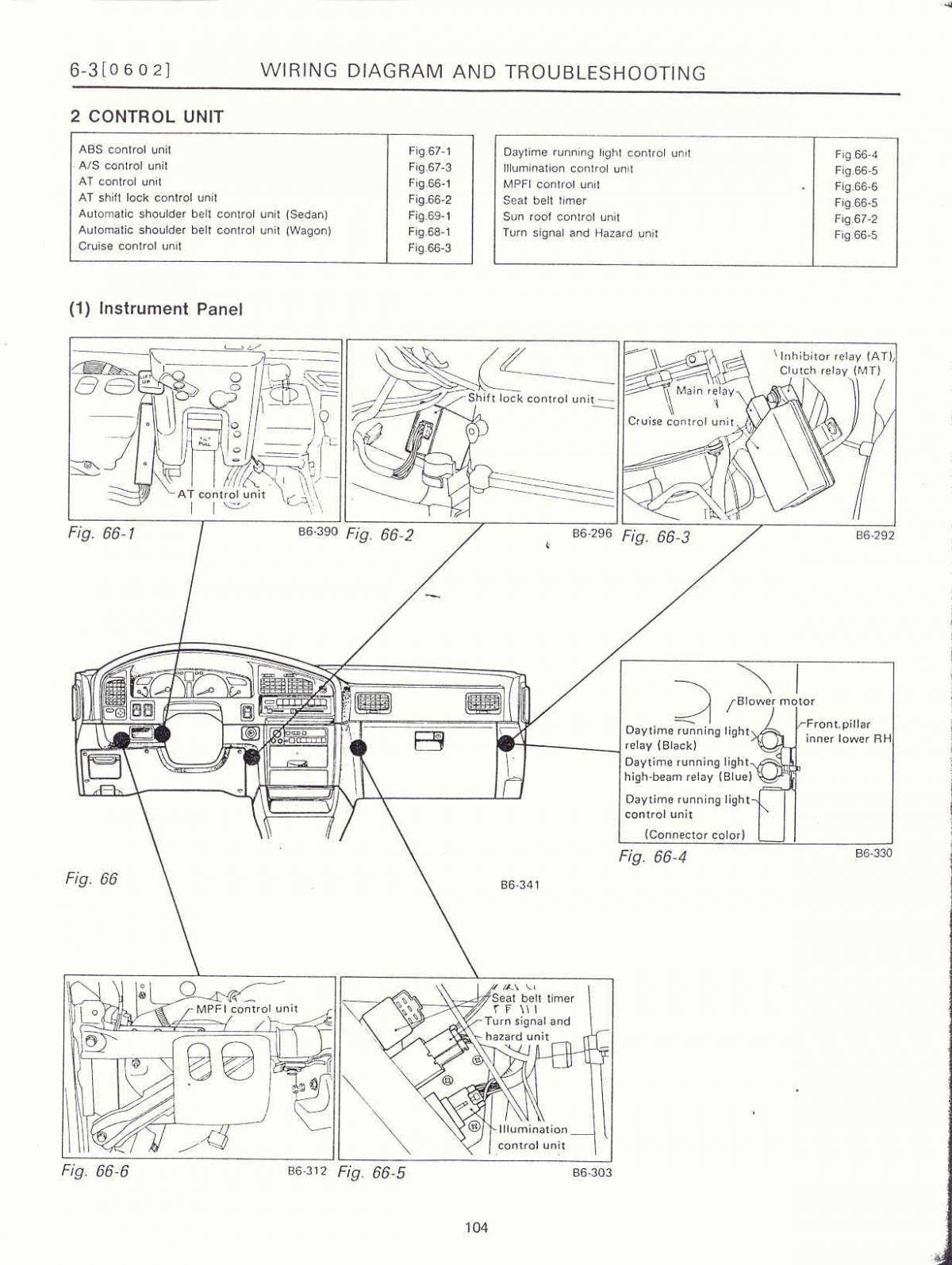
jrhume55 replied to jrhume55's topic in 1990 to Present Legacy, Impreza, Outback, Forester, Baja, WRX&WrxSTI, SVXPicture file was too big to load! You can tell though fro the diagram that the module is located at the bottom. If you take out the screw in the black panel you will be able to pull the panel back to get a wrench on it to get it loose.
-
jrhume55 replied to jrhume55's topic in 1990 to Present Legacy, Impreza, Outback, Forester, Baja, WRX&WrxSTI, SVXIllumination control model location 2002
-
jrhume55 replied to jrhume55's topic in 1990 to Present Legacy, Impreza, Outback, Forester, Baja, WRX&WrxSTI, SVXThe illumination control for my 2002 LL Bean is located behind the left kick panel on the passenger side. Held in place on a metal support column it's a little tricky to get to with a 10 mm. wrench without removing the black panel. Get a hold of it and loosen a little and you should be able to spin it off with your fingers. I've added pics and an excellent diagram I found on the Internet.
-
jrhume55 replied to jrhume55's topic in 1990 to Present Legacy, Impreza, Outback, Forester, Baja, WRX&WrxSTI, SVXI looked under the driver's side dash and it's not there. I also removed the stereo and nothing is behind it on a 202 LL Bean Outback. Today I will look behind the glove box. Let everyone know what I find. Wherever I find it I will take pictures of the location!
-
I have read several topics about the location of the illumination control module which controls the dash lights. Where is it located? On my 2002 LL Bean it's not under the diver's side dash or behind the stereo.