Skip to content
View in the app

A better way to browse. Learn more.

Ultimate Subaru Message Board

A full-screen app on your home screen with push notifications, badges and more.

To install this app on iOS and iPadOS
  1. Tap the Share icon in Safari
  2. Scroll the menu and tap Add to Home Screen.
  3. Tap Add in the top-right corner.
To install this app on Android
  1. Tap the 3-dot menu (โ‹ฎ) in the top-right corner of the browser.
  2. Tap Add to Home screen or Install app.
  3. Confirm by tapping Install.

MR_Loyale

Members
  • Joined

  • Last visited

About Me

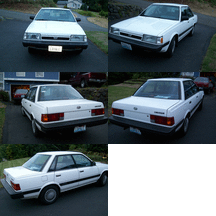
I still love my Loyales after all these years. You cannot tell me a car that is fairly simple and cheap to repair is not a blessing. But hey, we cannot be just a one dimensional person now can we? I also fly paramotors and have flown up to 3,649 feet over Puget Sound. I have flown at Palouse Falls and other places around the country. Check out my channel atย  https://www.youtube.com/mrcppg I also have a youtube channel called Mr Loyale's Garage: https://www.youtube.com/channel/UCwInZ8WpXsyZ5HW_pHYdp0Q/videos

ย 

Account

Navigation

Search

Search

Configure browser push notifications

Chrome (Android)
  1. Tap the lock icon next to the address bar.
  2. Tap Permissions โ†’ Notifications.
  3. Adjust your preference.
Chrome (Desktop)
  1. Click the padlock icon in the address bar.
  2. Select Site settings.
  3. Find Notifications and adjust your preference.