WillRXsti
Members
-
Joined
-
Last visited
Everything posted by WillRXsti
-
I don’t seem to be able to get an accurate reading on my dipstick. I have a 96 Outback with an EJ25. the motor is a replacement. Are there different oil pans?
-
WillRXsti replied to WillRXsti's topic in 1990 to Present Legacy, Impreza, Outback, Forester, Baja, WRX&WrxSTI, SVXI did replace the thermostat but I don’t remember what it looked like if I don’t get the desired result by burping it I’ll pull the gooseneck off and take a look at it
-
WillRXsti replied to WillRXsti's topic in 1990 to Present Legacy, Impreza, Outback, Forester, Baja, WRX&WrxSTI, SVXGot the job done thank you all for your help. Now the temp gauge is pegging out hot. I didn’t notice that happening before. I’m going to burn the Chiltons at my next bonfire.
-
WillRXsti replied to WillRXsti's topic in 1990 to Present Legacy, Impreza, Outback, Forester, Baja, WRX&WrxSTI, SVXConcave is driver side convex is passenger side
-
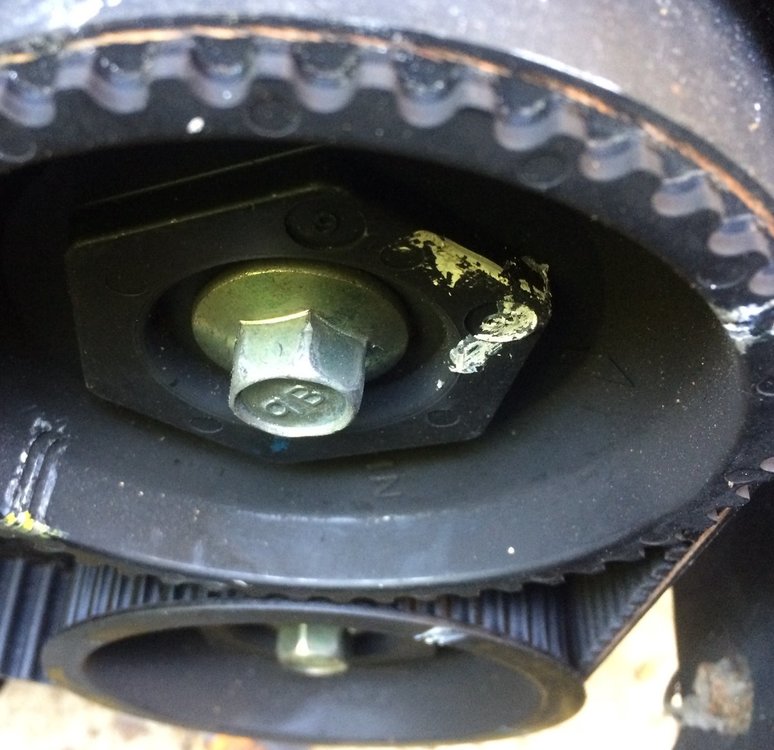
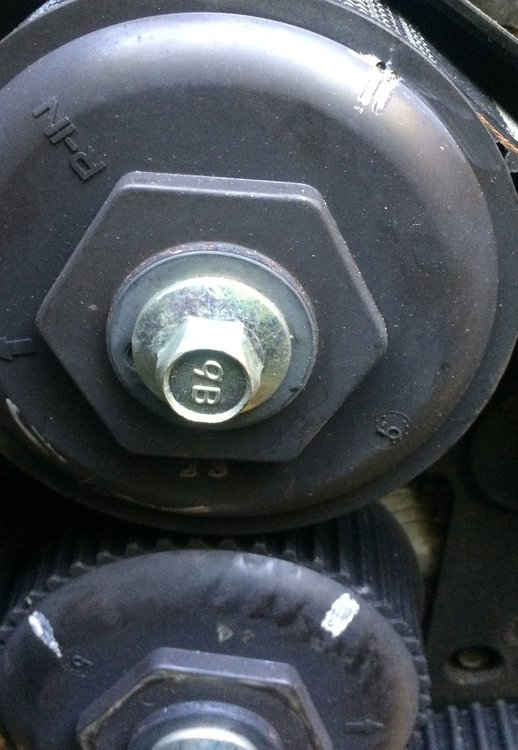
WillRXsti replied to WillRXsti's topic in 1990 to Present Legacy, Impreza, Outback, Forester, Baja, WRX&WrxSTI, SVXMoved it now the cam marks are off but close
-
WillRXsti replied to WillRXsti's topic in 1990 to Present Legacy, Impreza, Outback, Forester, Baja, WRX&WrxSTI, SVXThank you I am going to dive in right now and get back to you shortly
-
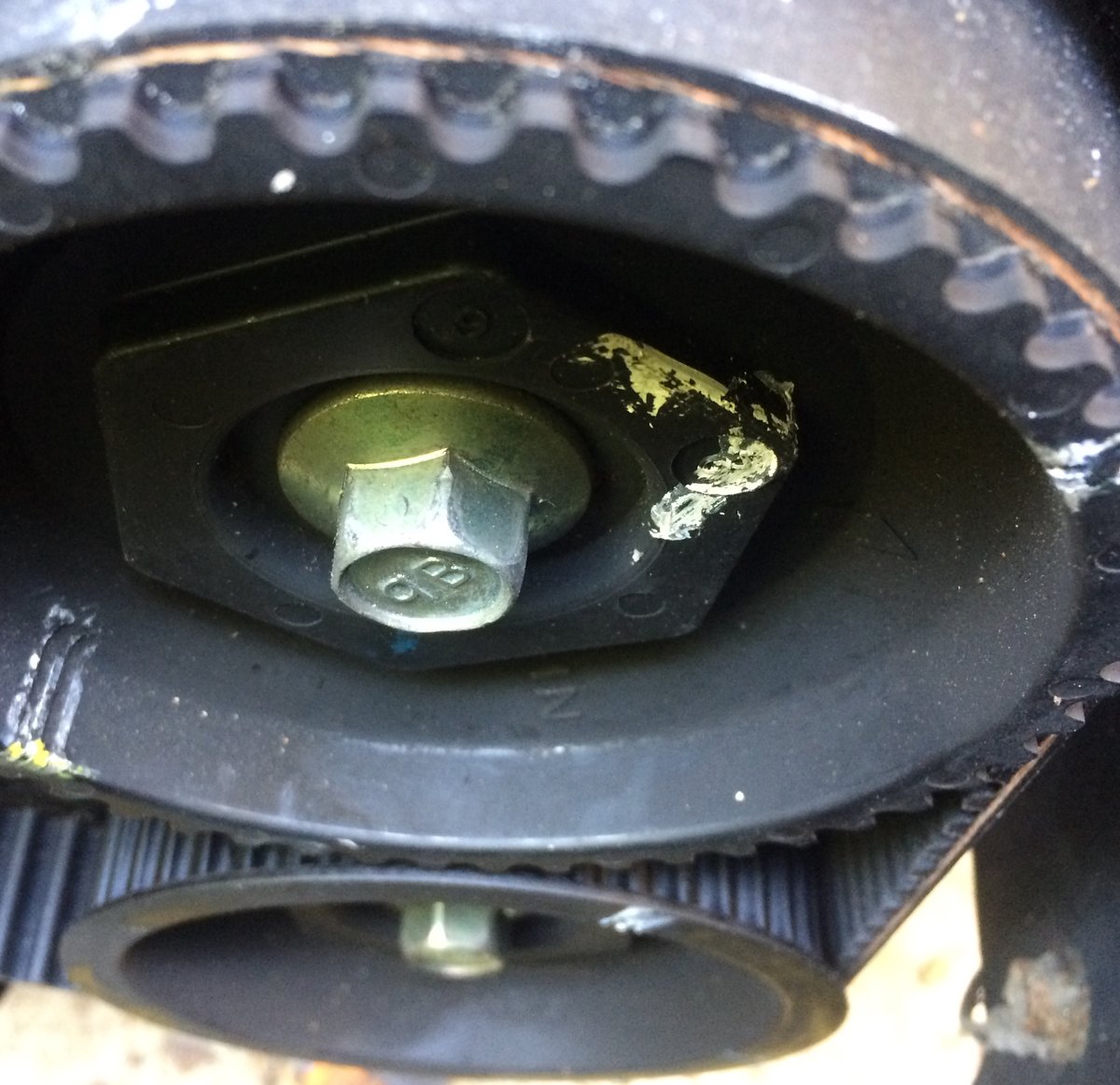
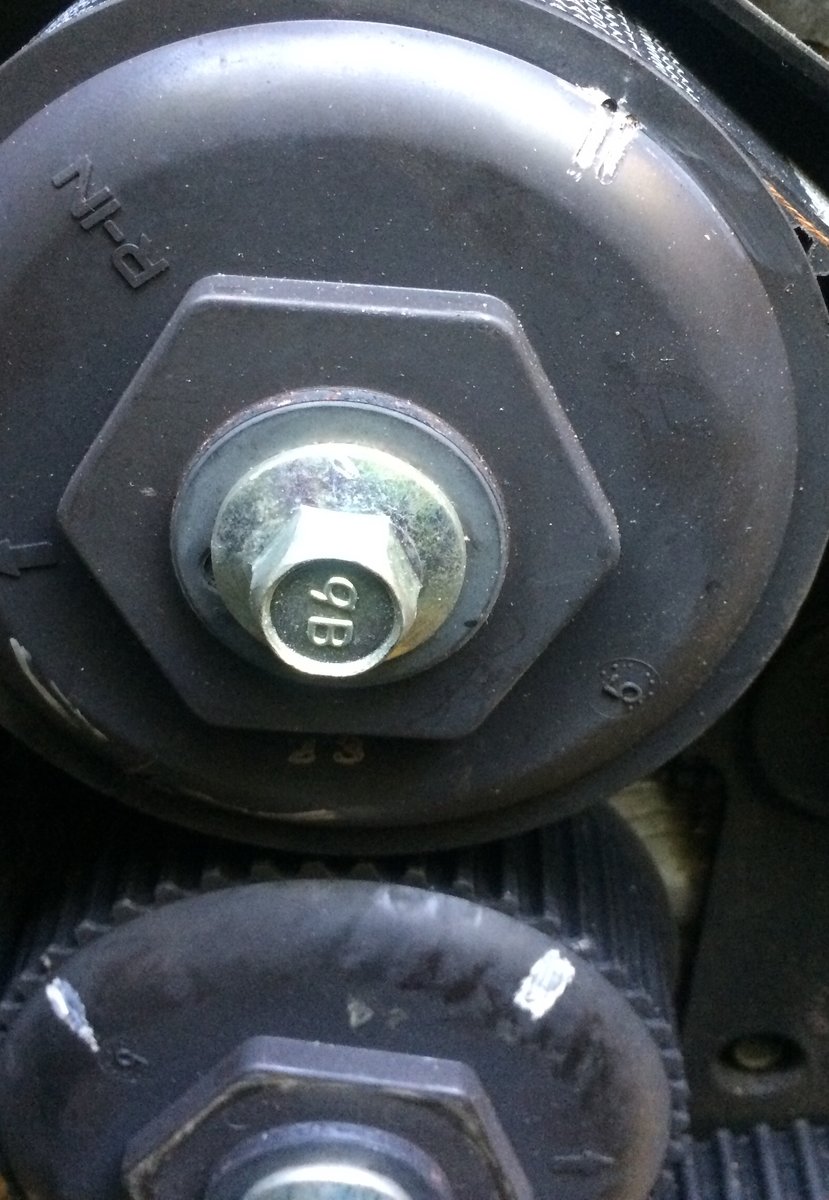
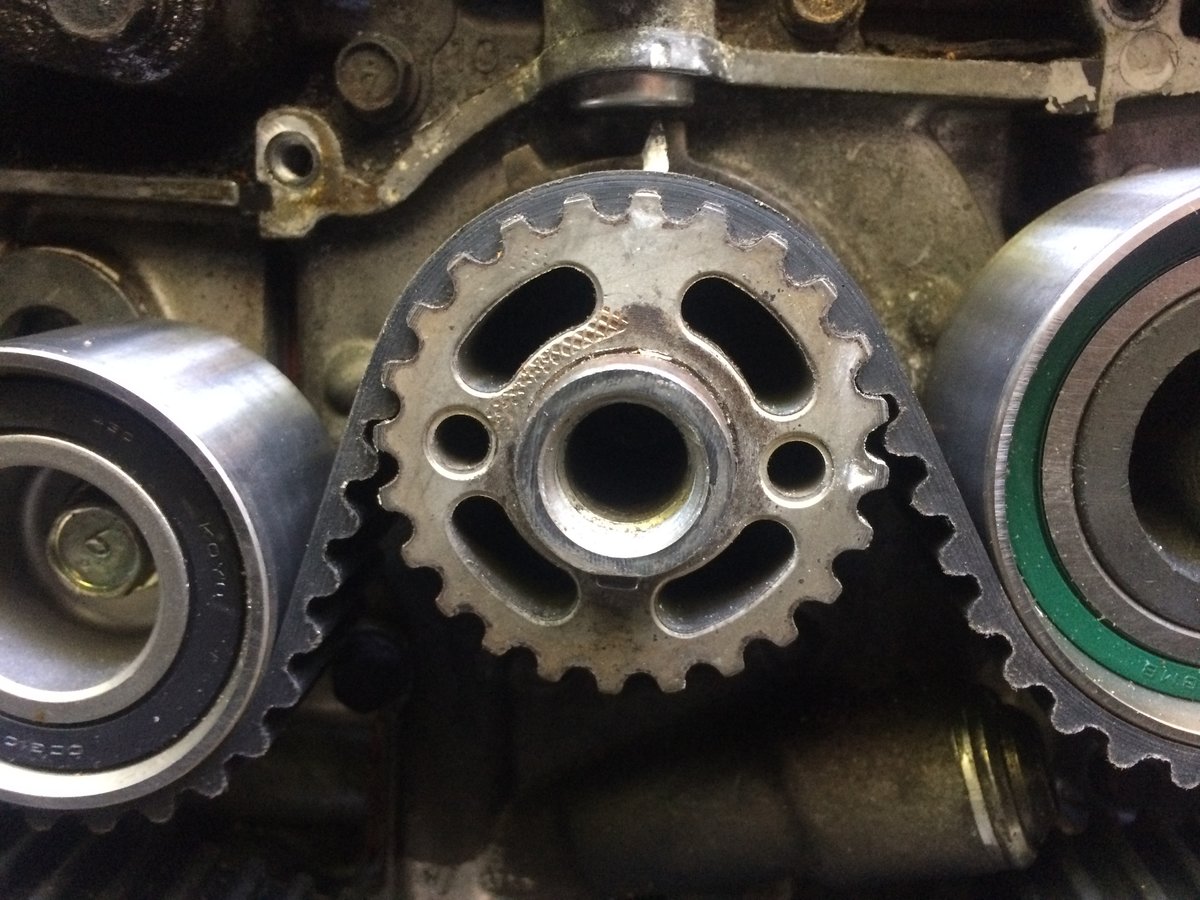
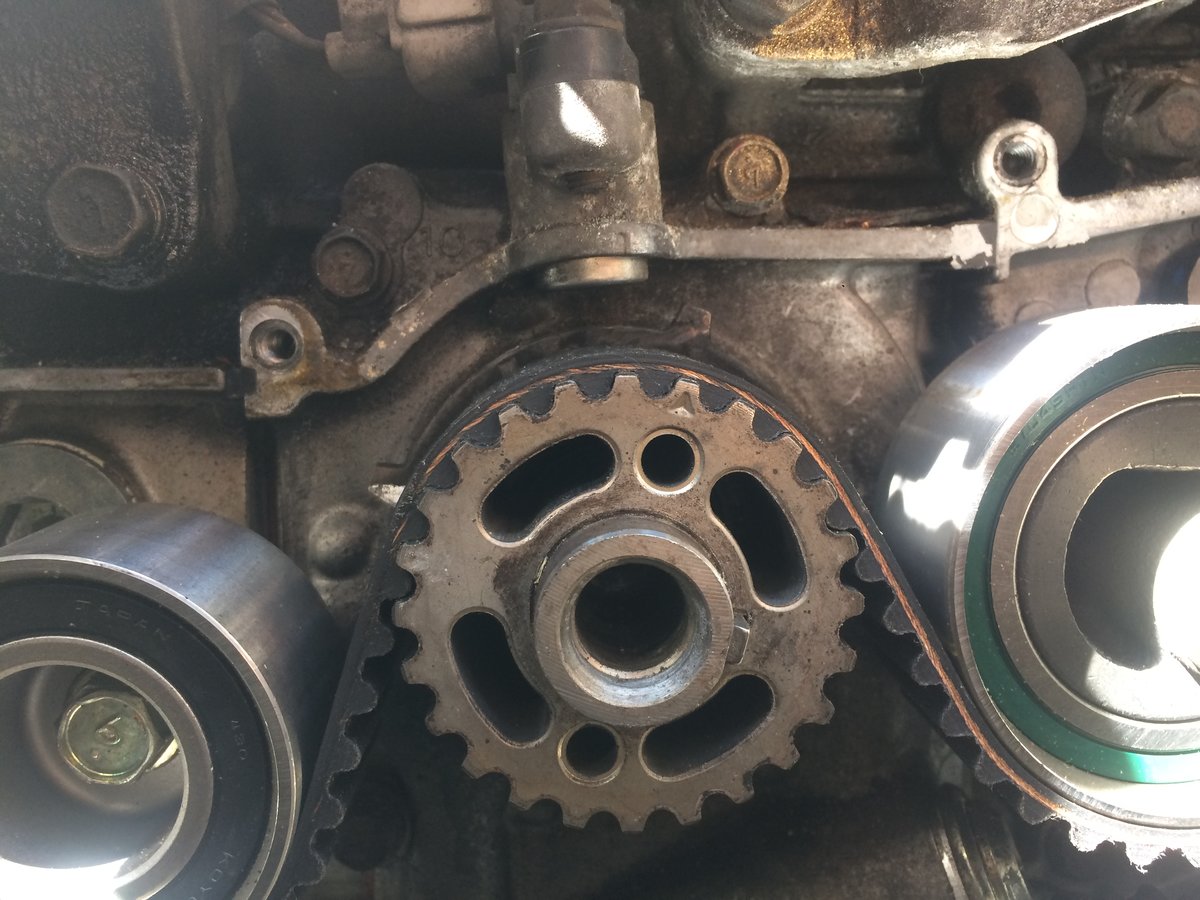
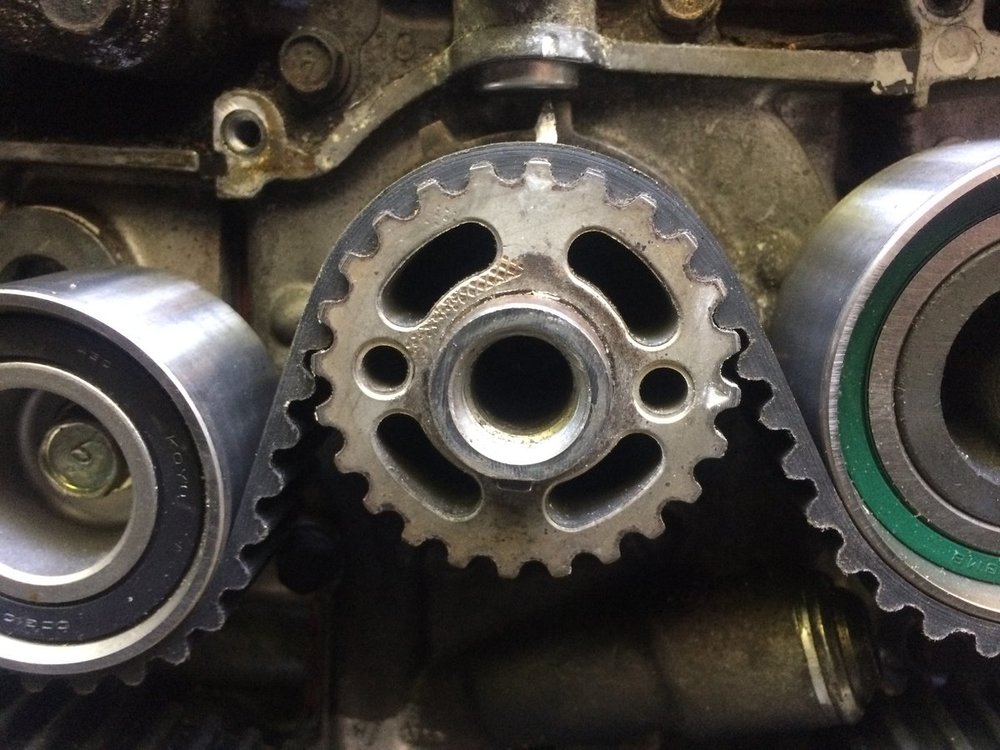
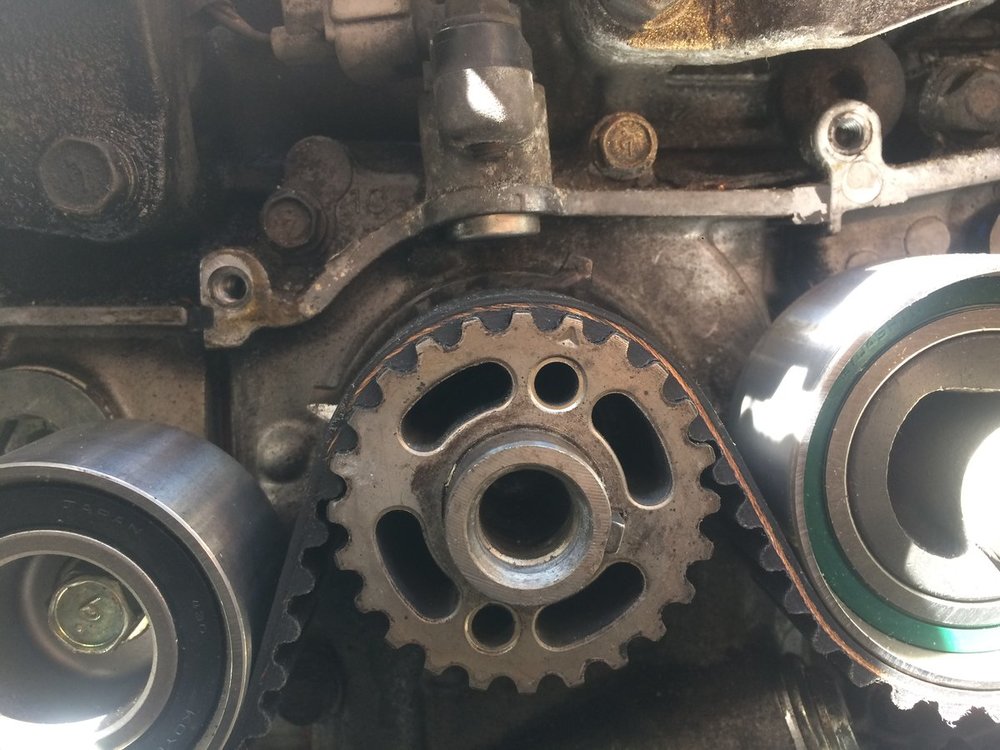
Hello All I changed the timing belt and screwed it up. I replaced all the idlers, the water pump and the tensioner.rotated the engine by hand numerous times to double check for interference and there is none. I failed to line up the cam marks correctly I am ready to remove and reinstall the belt when I turn the crank so #1 is at TDC the key way is not at 6 o’clock more like 3:30-4:00. I am using a chilton manual and the guide that came with the continental belt kit. It cautions against moving the cam pulleys. I will need to move them just slightly. From the photo can you tell me if the crank is in the correct position
-
Once owned 79 4 x 4 wagon the best combination of front wheel drive and four-wheel-drive I now own a 1996 outback Legacy wagon this looks like a very fun message board please feel free to give me specs a 4 inch lift kit