September 15, 200916 yr hello usmb. u can call me Zac n i live at kuala lumpur, MY. been luv with ea81 for few years owning it but now running with ej20. gd things ive found 80's info n looking forward to trade with members here.. hv a nice day!
September 15, 200916 yr hi. looks like you signed up here a few years ago. How is the JDM engine Ej20 rated on power for you over there? ECU for you is probably much better than we got here in US. We didnt get EJ20 til much later. You had it in the early 90's. DOHC heads?
September 16, 200916 yr Author hi. looks like you signed up here a few years ago. How is the JDM engine Ej20 rated on power for you over there? ECU for you is probably much better than we got here in US. We didnt get EJ20 til much later. You had it in the early 90's. DOHC heads? hi mate, ej20 (gc8b) rated bout 220hp, unfortunately stock ecu blown by mech n replace by MINES. DOHC? or u mean quad? right now, fuel RON gv us headache where JDM quote for RON100 while we hv here RON97. yeah, been here for years but dont know where to start. cheers
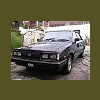
March 20, 201115 yr Author Gd day, What and which kind of suspension should I use for 84 leone's model? Thx in advance usmb..
March 20, 201115 yr Author http://carphotos.cardomain.com/ride_images/3/520/4881/26299940036_large.jpg

Please sign in to comment
You will be able to leave a comment after signing in
Sign In Now