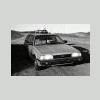
December 17, 200916 yr i've been reading up on lift options for 85-91 EA82 wagons (GL and the like), and all i've been able to come up with are the expensive kits (which are actually pretty cool). if i only want 1-2" of lift and to keep my stock alloy H rims, what's a cheap way to raise the li'l subie up a little bit? also, what are reasonable tire sizes for those 13s? cheers, -b
December 17, 200916 yr i don't know of any easy ways. install a lift kit. install 5 lug XT6 parts with 16" wheels and tires. install air suspension from an EA82T or XT6
December 17, 200916 yr My 2" lift kit is hardly expensive. $100 for a 2" suspension lift -Bill ^^^ what he said. I have one. and it's a dandy
December 17, 200916 yr Author oh, and can i put some slightly larger tires on the aluminum H rims, or would it be better to go with the white steelies? (i think the H's look cool in an ugly sort of way...very 80s)
December 18, 200916 yr where do i get one? PM me, I make them. If you want bigger tires, the only sizes you will find for the stock 13's will be 185/80R13, and those are getting hard to find anymore. You will want to keep on the lookout for a set of 14" Pugeot wheels, you can get up to 29" Super Swampers in 14" rim size. -Bill

Please sign in to comment
You will be able to leave a comment after signing in
Sign In Now