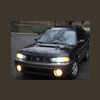
January 13, 201016 yr Finally took some pics of my OBW. There is some sweet snow/ice action too. Hey that amount shut Atlanta down for 1 day!
January 13, 201016 yr I was in Atlanta last February when they got about an inch... to me that barely qualified as snow, but it shut the city down. I didn't see any subaru's in the city when I was there. Then again, if the temp gets over 85 degrees, I flee to higher elevation (than Ward, which is only at 9,300 feet) to find cooler weather. Z
January 13, 201016 yr Author I was in Atlanta last February when they got about an inch... to me that barely qualified as snow, but it shut the city down. I didn't see any subaru's in the city when I was there. Then again, if the temp gets over 85 degrees, I flee to higher elevation (than Ward, which is only at 9,300 feet) to find cooler weather. Z Thanks '84. I work at GA Tech and there are quite a few floating around here. I am picking up a set of used WRX wheels from a student hopefully in a few weeks. Two more pics added, dimpled and slotted rotor and Sti shifter. Edited January 13, 201016 yr by doc526

Please sign in to comment
You will be able to leave a comment after signing in
Sign In Now