Skip to content
View in the app

A better way to browse. Learn more.

Ultimate Subaru Message Board

A full-screen app on your home screen with push notifications, badges and more.

To install this app on iOS and iPadOS
  1. Tap the Share icon in Safari
  2. Scroll the menu and tap Add to Home Screen.
  3. Tap Add in the top-right corner.
To install this app on Android
  1. Tap the 3-dot menu (⋮) in the top-right corner of the browser.
  2. Tap Add to Home screen or Install app.
  3. Confirm by tapping Install.

Pac NW

Featured Replies

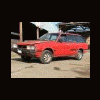
Doing some research for a BRAT I scored last summer and found many members here in my area, as well as great info, builds, and resources...so I hope to be around, find some help, make some contacts and maybe even be of some use as well :grin:


Image-4595646-74388759-2-WebSmall_0_e4c80b4ab9264c55a23ca107d1e20277_1

welcome... nice looking Brat!


also: we are all patiently waiting for the WCSS #12, date release.

(West Coast Subar Show) This is a must attend event and will be held somewhere in the N.Wet. usually in Aug-Sept.


Hope to see you and your Brat attend.

Nice ride boss! Welcome! I love that body style!

Please sign in to comment

You will be able to leave a comment after signing in

Sign In Now

Account

Navigation

Search

Search

Configure browser push notifications

Chrome (Android)
  1. Tap the lock icon next to the address bar.
  2. Tap Permissions → Notifications.
  3. Adjust your preference.
Chrome (Desktop)
  1. Click the padlock icon in the address bar.
  2. Select Site settings.
  3. Find Notifications and adjust your preference.