February 13, 201016 yr Anyone down in portland to go on a late run give me a call 971 219 4490 oh yeah and in the next hour if not I will sit at home wishing for mud
February 16, 201016 yr Anyone down in portland to go on a late run give me a call 971 219 4490 oh yeah and in the next hour if not I will sit at home wishing for mud Wish I could have gone. I haven't got my BRAT yet, but you should come out to Sand Lake with us in a couple weeks.
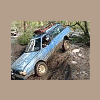
February 17, 201016 yr Author :banana:weekend adventure I will try let me look up the date again I dont have the power for sand though I have power for mud and trails just not sand plus it eats up so much stuff I drive mine everyday I rather have afix on the trail or something broken and i fix at home now then a break inthe middle of going to the store and home n traffic

Please sign in to comment
You will be able to leave a comment after signing in
Sign In Now