Skip to content
View in the app

A better way to browse. Learn more.

Ultimate Subaru Message Board

A full-screen app on your home screen with push notifications, badges and more.

To install this app on iOS and iPadOS
  1. Tap the Share icon in Safari
  2. Scroll the menu and tap Add to Home Screen.
  3. Tap Add in the top-right corner.
To install this app on Android
  1. Tap the 3-dot menu (⋮) in the top-right corner of the browser.
  2. Tap Add to Home screen or Install app.
  3. Confirm by tapping Install.

My new Brat AKA The Turd AKA LIL' BASTARD

Featured Replies

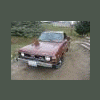
My new Brat... From turd

P1030091.jpg

To polished turd

P1030092.jpg

Best $450.00 I ever spent...

-Jake

  • Author

Oh ya the 1st Pic was after I washed it... That is all oxidation not dirt! Man I can't wait to paint it:grin:

sweet! and only 450.00. I like the name youve given her, all you need to do now is paint and Turdocharge her :)

Im jealous

  • Author

The guy I bought from wanted $700. But then he call me on my way down to look at it and made the mistake of telling me his bottom line... I would have paid more but... The lil' Bastard runs like a watch. I took it to my Subaru mechanic to check everything out and he was dumbfounded that the guy sold it so cheap... It's about time some good car karma came my way after the last Subi I bought!

Edited by Jake DMC
forgot a word

Please sign in to comment

You will be able to leave a comment after signing in

Sign In Now

Account

Navigation

Search

Search

Configure browser push notifications

Chrome (Android)
  1. Tap the lock icon next to the address bar.
  2. Tap Permissions → Notifications.
  3. Adjust your preference.
Chrome (Desktop)
  1. Click the padlock icon in the address bar.
  2. Select Site settings.
  3. Find Notifications and adjust your preference.