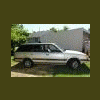
March 11, 201016 yr I have an 1987 GL wagon and was wondering if anyone knew where I could go to get it lifted????
March 11, 201016 yr I dont mean to be a wongleflute but dude seriously??? Do a search. There are a lot of great vendors on here that sell lift kits.
March 12, 201016 yr SJR is where you need to look. The unfortunate thing is that there is not exactly a huge market out there for wanting to lift a 500.00 dollar Subaru, most of us are deemed "weirdos" by our peers therefore if you are wanting to have someone do it you may need to travel a bit or start hanging out with other subie folk that will be willing to help you out. You cant just walk in to any 4x4 shop and say "hey do you sell and instal lift kits for my subie?" Good luck though man. Do some research and learn. Google: SJR+Subaru and they are the first link.
March 12, 201016 yr Also, you are very fortunate to live in oregon, i call it subie capitol. There are a lot more old school subie lovers out in the NW then anywhere else in the US. I use to live there and one thing i miss are the resources and readily available parts...
March 12, 201016 yr Author Much appriciated man.... This is my first Soobie and I want to do it right!!!
March 12, 201016 yr Welcome OREchipmunk to the board. He is right look at the search function and you find lots of info. You are very fortunate because there is tons of people in the washington oregon area who do tons of stuff with there subys. You are in good hands.

Please sign in to comment
You will be able to leave a comment after signing in
Sign In Now