February 19, 200422 yr Make sure to check all fluid lines for clutch cables and such. On the way to work the coolant line that supplies and returns to the H. core was pulled on enough to split a big hole in it blowing all, every drop of coolant out in a matter of a city block!!! wasent fun a 630 this morning. But with some roadside repair with a razorblade and a flat head screw driver all is fixed :banana: So be sure to take that extra minute to look over it all :cool: Pics of the new lift will be posted tonight or Friday!! -Sean
February 19, 200422 yr Author I went out to chec the roo on my lunch and saw that the top and bottom main hoses are pretty snug also so i better change them all before going to the coast (Brookings OR) this weekend! -Sean
February 20, 200422 yr It may not be an issue for you but i had the fuel line coming off the back of the gas tank pulled snug in a fitting elbow so that is shut off the fuel flow, i was able to make it arround the block and back into the shop just as it stalled, got her on the lift and figured out the problem, just so you know, if you want to check that out as well, mine is an Ea-82 so that may make a difference
February 20, 200422 yr Author Hey thanks for the heads up on that, im also watching the brake lines since they are also un-bracketed :cool: some of the guys (Rogue Roo's) came over and we choped up some other ideas about custom skid plates and carb stuff:D -Sean
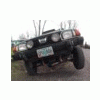
February 20, 200422 yr also constantly check your bolts. especially before your first big wheeling trip!! trust me. http://usmb.net/gallery/Little-Roo-and-The-HP/Pict0066 pics of little roo the first weekend after the first lift kit. http://www.angelfire.com/80s/rooinater/images/Pict0074.JPG

Please sign in to comment
You will be able to leave a comment after signing in
Sign In Now