Skip to content
View in the app

A better way to browse. Learn more.

Ultimate Subaru Message Board

A full-screen app on your home screen with push notifications, badges and more.

To install this app on iOS and iPadOS
  1. Tap the Share icon in Safari
  2. Scroll the menu and tap Add to Home Screen.
  3. Tap Add in the top-right corner.
To install this app on Android
  1. Tap the 3-dot menu (⋮) in the top-right corner of the browser.
  2. Tap Add to Home screen or Install app.
  3. Confirm by tapping Install.

Just bought our 2nd subaru

Featured Replies

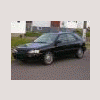
We just picked up a Silver 2004 legacy sw 38,457 km canada spec , not sure which model it really is . Plain looking out side ,2.5 auto, with leather wrapped wheel. cheap CD player pw ,pl, ac, 6 way pwr seat , heated seats , double spoke alloy rims. Really clean too. Any ideas? .We are going to install a factory subaru 6 cd radio when possible .:banana::banana:

Please sign in to comment

You will be able to leave a comment after signing in

Sign In Now

Account

Navigation

Search

Search

Configure browser push notifications

Chrome (Android)
  1. Tap the lock icon next to the address bar.
  2. Tap Permissions → Notifications.
  3. Adjust your preference.
Chrome (Desktop)
  1. Click the padlock icon in the address bar.
  2. Select Site settings.
  3. Find Notifications and adjust your preference.