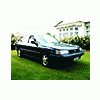
July 24, 201015 yr Seems I'm moving back to EJ gear after a long time spent in the EA world - picking up an 89' EJ22 Legacy Sedan on Thursday. It's done 236,000km (that's 146,000 miles) and I'm getting it for $500 NZD ($360 USD). It's roadworthy too! I took it for its warrant (NZ's *safety testing* *ahum*) and it flew through. Engine started up fine with a jump pack even after sitting for over two months without starting. I'm pretty stoked about this thing, EJ22's are getting a bit harder to find over in NZ and apart from some pretty-evenly oxidized paint this thing is mint. Seems to be almost as powerful as my DOHC EJ20 89' Lego was. It does need a new front bumper though, plus it has a weird rear garnish on the boot, which is just straight blue instead of the regular reflector, so I'm going to see what I can do to change that So yeah, hopefully you'll be seeing and hearing a lot more from me around this forum. I'll get some pictures up as soon as I get this thing and give it a good cut-and-polish. :banana::banana: (Some banana's for good measure)
July 24, 201015 yr Agree with Olnick, make sure to get some pics up! Congrats on your new Legacy and look forward to seeing your progress!

Please sign in to comment
You will be able to leave a comment after signing in
Sign In Now