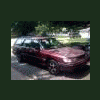
August 17, 201015 yr Hows it going i stumbled on this forum today doing research on my 92 legacy wagon AWD this is not my first subaru ive had a 94 SVX Ls and a 2008 legacy 2.5i but my 92 legacy is my favorite by far.... Im located in central indiana and a member Indiana Impreza Club
August 17, 201015 yr Welcome aboard, Slamn--you'll find a lot of knowledge and help here. And yes, the '92 Legacy is a wonderful machine with a great engine! Enjoy!
August 17, 201015 yr Welcome to the USMB family! Great board here that will give you all of the info you need and more! Check out the search content as it can save you alot of time.
August 17, 201015 yr welcome! hello from portland. I've found everything i've need on this site so far

Please sign in to comment
You will be able to leave a comment after signing in
Sign In Now