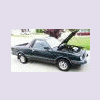
September 21, 201015 yr I'm replacing the dash in my 85 BRAT. I made the rookie mistake of not labeling the wires as I disconnected them and now I have an "extra" wire that I can't find a matching plug to and I want to make sure that it's for an option that my BRAT didn't come with or find what plug I should be looking for. Front view: Backside of Instrument cluster: It looks like it has something to do with the brakes, but I'm not 100% positive. Thanks in Advance for your help.
September 27, 201015 yr Author No one recognizes this wire? It is Yellow with a red stripe and goes to a black plug. I can't find a matching black plug. Would it be another color? Need this info so I can get the BRAT back together and get it to the "shop" to start the resto / custom work. Thanks in advance!
September 27, 201015 yr If i'm not mistaken those are the wires for the speed sensor. If you don't have cruise or a computer controlled system they are not hooked up.

Please sign in to comment
You will be able to leave a comment after signing in
Sign In Now