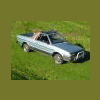
September 21, 201015 yr So I have been working on my 86 Brat forever now, and I'm in the process of upgrading everything on it. I have seen that some people on here have been putting new gen. struts and spindles with the brakes in the EA style cars. I was wondering what I have to do to put these parts in my car? I have a complete donor car (2000 Impreza) I know that the CVs are different but the Brat is getting an EJ swap with the AWD five speed this winter, and it doesn't really need to move (i'm not driving it and it stays in the garage.) I know they have the same style ball joint, but does that have to be changed out? And what about the strut mount does that just bolt on to a new style strut, or do I have to modify anything? I was also wondering what is involved in a rear disk brake swap with a five lug conversion in the rear, off from a newer legacy ( i have a 1997 Gt wagon as a donor for that), If those cars are not going to work I have a ton of other parts cars ranging from a 94 legacy gt to the 2000 Impreza. Any help would be much appreciated. Thanks in advance! -Shaun Edited September 21, 201015 yr by 1982gl4

Please sign in to comment
You will be able to leave a comment after signing in
Sign In Now