Skip to content
View in the app

A better way to browse. Learn more.

Ultimate Subaru Message Board

A full-screen app on your home screen with push notifications, badges and more.

To install this app on iOS and iPadOS
  1. Tap the Share icon in Safari
  2. Scroll the menu and tap Add to Home Screen.
  3. Tap Add in the top-right corner.
To install this app on Android
  1. Tap the 3-dot menu (⋮) in the top-right corner of the browser.
  2. Tap Add to Home screen or Install app.
  3. Confirm by tapping Install.

Whos is this

Featured Replies

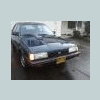
I have seen it at Westview and around Beaverton... Someone knows there stuff, this is apparently AWD now, and has a EJ22 in it, and its lifted...


They have been at WCSS 10&11...


Anybody know them?


Loyale.jpg

I think (but am not at all sure) that oldschool was building that wagon for one of his sons a while back. Not 100% on that though.

  • Author

If it is him, Im sure it is, reading his posts, hes done a nice job of that wagon, looks really nice.


Id like to shake his hand :banana:

Please sign in to comment

You will be able to leave a comment after signing in

Sign In Now

Account

Navigation

Search

Search

Configure browser push notifications

Chrome (Android)
  1. Tap the lock icon next to the address bar.
  2. Tap Permissions → Notifications.
  3. Adjust your preference.
Chrome (Desktop)
  1. Click the padlock icon in the address bar.
  2. Select Site settings.
  3. Find Notifications and adjust your preference.