Skip to content
View in the app

A better way to browse. Learn more.

Ultimate Subaru Message Board

A full-screen app on your home screen with push notifications, badges and more.

To install this app on iOS and iPadOS
  1. Tap the Share icon in Safari
  2. Scroll the menu and tap Add to Home Screen.
  3. Tap Add in the top-right corner.
To install this app on Android
  1. Tap the 3-dot menu (⋮) in the top-right corner of the browser.
  2. Tap Add to Home screen or Install app.
  3. Confirm by tapping Install.

Arizona Suby fan

Featured Replies

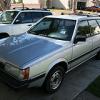
My 2nd car was a 1982 GL Hatchback 4WD and I loved it until a drunk driver nailed me at an intersection and totalled it. Pulled the motor and put it in a 1980 DL Wagon and drove for a couple more years. Now I've had my 1998 Forester for about 5 years and I still like it enough to go through pulling the motor and fixing alot of deferred maintenance on it. I'd still like to find a '82 GL Hatchback 4WD with the white spoke wheels. Good times, good times!


Thanks to all the contributors who have helped me with the work I'm taking on.

Sweet. I hope to get an AZ trail run going this spring, hope your forester will be up for it. :headbang:

Please sign in to comment

You will be able to leave a comment after signing in

Sign In Now

Account

Navigation

Search

Search

Configure browser push notifications

Chrome (Android)
  1. Tap the lock icon next to the address bar.
  2. Tap Permissions → Notifications.
  3. Adjust your preference.
Chrome (Desktop)
  1. Click the padlock icon in the address bar.
  2. Select Site settings.
  3. Find Notifications and adjust your preference.