Skip to content
View in the app

A better way to browse. Learn more.

Ultimate Subaru Message Board

A full-screen app on your home screen with push notifications, badges and more.

To install this app on iOS and iPadOS
  1. Tap the Share icon in Safari
  2. Scroll the menu and tap Add to Home Screen.
  3. Tap Add in the top-right corner.
To install this app on Android
  1. Tap the 3-dot menu (⋮) in the top-right corner of the browser.
  2. Tap Add to Home screen or Install app.
  3. Confirm by tapping Install.

Attn: C.p. Matt, Rbobert

Featured Replies

  • Author

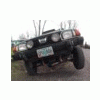
WELL finally got directions ,and got my dif hanger rebuilt and today we are going to fix the brush guard courtesy of The Subaru Junkie. It was fun being around when Matt and Robert were working on the FRANKENSTIEN :-p very cool wagon!!!

-Sean

Cool, did you guys repair the hanger??? or just replace it? I myself would suggest a stock hanger thats been re-enforced, and use lift blocks to drop the hanger mounts down a couple inches.


-Brian
  • Author

No, we built a one . One peace , very strong very SWEEEEET!!!!

-Sean

Please sign in to comment

You will be able to leave a comment after signing in

Sign In Now

Account

Navigation

Search

Search

Configure browser push notifications

Chrome (Android)
  1. Tap the lock icon next to the address bar.
  2. Tap Permissions → Notifications.
  3. Adjust your preference.
Chrome (Desktop)
  1. Click the padlock icon in the address bar.
  2. Select Site settings.
  3. Find Notifications and adjust your preference.