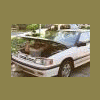
March 14, 201115 yr so i did the headgaskets on my friends car 91 ea82 NA. exhause had been leaking into the coolant making it murky. also coolant in the oil. after the work the problem persisted. so i got a replacement passenger side head with 100k on it. had it resurfaced and installed with a fresh gasket. now the problem still exists. my only guess is the drivers side head is bad but before i tear into it for a 3rd time does anyone have any other options of what could be causing this. it does not burn coolant off just forces it into the overflow tank. coolant in the oil as well looks like chocolate milk. looks kind of tasty actually. thanks in advance for any thoughts on this im getting fed up with this pos. could someone post what torque specs they use? i used the FSM specs and it seems like a small amount of torque
March 14, 201115 yr hi, there are some seals between the block halves that see water, but i have not had a motor that they leaked , i don't think its common . the one head you said was resurfaced, that's good , and the other one was not. they sometimes develope a problem on the surface where the head gasket ring fits against it, sort of a groove that matches the gasket. in my opinion it's a good plan to resurface it even if not doing the valves. clean the block good too. most here recommend the FelPro permatorque head gaskets ! torque them a few pounds over, i think i went 64 lbs.

Please sign in to comment
You will be able to leave a comment after signing in
Sign In Now