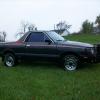
December 24, 201114 yr Hi, I have not posted for a while but just now have gotten around to pulling my BRAT in the shop. I have an 85 that I bought "broken". It only had 108k on it and not too bad of rust. The guy thought it had a broken crank and I think it really does. The crank sits at a pretty severe angle compared to the other pulleys. It did turn over a couple of times when i first got it but quickly froze up. That is when I discovered the crank at an odd angle. Anyway, I found a donor (ea81) motor. I bought it from a guy that pulled it for an airplane years ago. (150.00) He could not remember the year of the vehicle. Now that I have pulled the 85's motor, I can see the "new" motor does not have the sticker for hydraulic valve adjusters it also has a lot of difference in emission stuff. Hydraulic adjustment would be cool but that does not concern me much but what I want to know is what about all the emission stuff. Should I put all the 85 emission stuff on the older motor or just keep it "stock"? I want it to run smooth and dont want to have to plug a bunch of lines. I plan on new gaskets, clutch and the like as I have it out. Any other suggestions? Thanks for any help you can give.
December 24, 201114 yr Another Iowa BRAT? You should keep whatever the intake stuff and emissions that the BRAT has, mean make whatever engine you put in have the same as what the one coming out had. -if that is possible. Make sure both starters are off to the side.... Edited December 24, 201114 yr by bheinen74

Please sign in to comment
You will be able to leave a comment after signing in
Sign In Now