Skip to content
View in the app

A better way to browse. Learn more.

Ultimate Subaru Message Board

A full-screen app on your home screen with push notifications, badges and more.

To install this app on iOS and iPadOS
  1. Tap the Share icon in Safari
  2. Scroll the menu and tap Add to Home Screen.
  3. Tap Add in the top-right corner.
To install this app on Android
  1. Tap the 3-dot menu (⋮) in the top-right corner of the browser.
  2. Tap Add to Home screen or Install app.
  3. Confirm by tapping Install.

Spotted near Portland State

Featured Replies

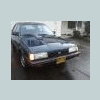
Does this EA belong to someone on here? It was posted on the PNW facebook page and was just curious who built/owns it.. :brow:


541937_418799541480136_100000502809210_1576766_1511706278_n.jpg

I saw that same car the same day as you!! took a pic of it too! Looked pretty solid walking by it!

Do you go to Portland state?

  • Author

Nope, in fact, I was chillin on the computer in Hillsboro when this was taken :P


It was a girl on PNW Subaru Enthusiasts on Facebook and she said she really liked it... I thought Id see if I could find out some info on it but Im guessing it doesnt belong to anyone on here.

Please sign in to comment

You will be able to leave a comment after signing in

Sign In Now

Account

Navigation

Search

Search

Configure browser push notifications

Chrome (Android)
  1. Tap the lock icon next to the address bar.
  2. Tap Permissions → Notifications.
  3. Adjust your preference.
Chrome (Desktop)
  1. Click the padlock icon in the address bar.
  2. Select Site settings.
  3. Find Notifications and adjust your preference.