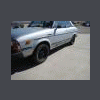
May 3, 201213 yr http://www.ksl.com/index.php?page=1&ad=8812139&nid=745#4 You decide. Tacky or Tasteful? Have fun! Edited May 3, 201213 yr by LoveTheeSubie
May 3, 201213 yr this is all about context. what are you using the Brat for? if its a hunting rig, then the color selection is perfect. maybe i've been in indiana too long but i don't see anything wrong with cammo paint
May 4, 201213 yr It's not clear coated, it's tasteful. There's a jacked up Toyota truck running around here that looks like it has never even seen dirt or the woods, has camo paint with clear coat, giant mud tires with tire shine sprayed all over them, and the shiniest mirror polished aluminum wheels I've ever seen.
May 4, 201213 yr EPIC. i plan to do something similar but snow camo with subaru colors.(white brown black and my cars already gray) should be pretty cool when i get around to it. isn't it funny how you have to put camo on a subaru to make it stand out?(except for brats, they stand out already) my wag went invisible on me this morning when i went to get gas...looked out at the pump and it wasn't there. till i went outside and double checked.

Please sign in to comment
You will be able to leave a comment after signing in
Sign In Now