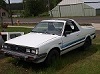
May 3, 201213 yr I am planing on fabricating my own roll bar for my 86 brat and was wondering if anyone here with a gen 2 brat roll bar could get detailed measurements of it for me to use in building mine. thanks J
May 4, 201213 yr Hi J, I have one on my back porch that came unmounted when I bought my first Brat earlier this year. It is the low profile one. I will get the measurements and try to take pics and post sometime tomorrow. (SATURDAY) I would like the someone to do the same for the front pushbar I want to have fabricated. Mike
May 4, 201213 yr Author Thanks a lot Mike. I like the low profile ones. your help will be greatly appreciated. I also plan on making a front bar for my brat as well. Jeremy
May 7, 201213 yr took the pics with a tape measure in each shot. I will try to upload. Am now uploading into my computer. Mike
May 8, 201213 yr I 'm sorry, I do not see the paperclip. All of the smiley icons are there in the box and above the smiley box are spellcheck, increase size and switch editor mode. If someone will email me, I have 4 pics in an email draft ready to go and maybe they can post the pics for all. I have another 2 dozen pics to send. stinkydogfilms@sbcglobal.net Thank you, Mike
May 8, 201213 yr I will do more pics tonight. I see the paperclip now. Just so you know the square floor tiles are 6 inch by 6 inch.

Please sign in to comment
You will be able to leave a comment after signing in
Sign In Now