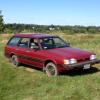
June 18, 201213 yr I have a sound on my EA82 that doesn't quite sound normal. It's a rhythmic slapping/clattering sound, maybe, I'm not sure how to describe it. It's probably around 3 Hz and is only present during idle. Once the engine is revved up, it goes away. I first noticed it right after I changed the oil for the first time. It sounded pretty loud and I didn't recognize it. Took it for a quick spin and it quieted down to what could be normal levels (it didn't sound as unrecognizable). Oil level is fine (just above the top mark). I checked one plug, it looked alright. Not great but alright. Looked a little like the "too hot" plug on this chart: http://www.v6z24.com/mods/howto/images/plugs/plugs19.jpg Wires look fine. Checked for irregular spark with a timing light, but it was consistent. I think I'm going to replace the plugs anyway. My next thought was maybe plug wires, then timing. Now, my friend's 2000 impreza sounds a bit like it, not exactly though. And he said it was worse before he replaced the timing (or v-belt?) tensioner. Is this sound a normal boxer engine sound, or is something wrong?
June 18, 201213 yr Author I should also mention that when I was getting it running again a few weeks ago after sitting for six months, the throttle got stuck open, so it was bouncing off the governor for a few seconds. Not sure if that's long enough could cause any problems.

Please sign in to comment
You will be able to leave a comment after signing in
Sign In Now