July 3, 201213 yr So I started off thinking I would replace the passenger side drive axle and be done with it. However, noted the ball joint boots were ripped and the joints felt loose, so I have ordered NAPA (Altrom) ball joints. Will also take care of stabilizer bar, leading rod bushings - have OEM ones. Also noted a crack on the outside braking surface of the right front rotor, so both rotors are also being replaced with NAPA rotors. I also want to replace the control arm bushings while I have things torn apart, have OEM ones for replacement. However, spent a lot of time trying to get one side out yesterday, with no luck. I was using a vice and appropriate size sockets, and barely managed to budge the bushing. What type of press (this will be a new tool to my collection) would I need to press the control arm bushings and install new ones? Any advice or leads appreciated.
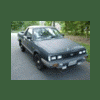
July 15, 201213 yr Author Just put the 87 Brat together. New stabilizer, control arm, leading rod to stabilizer and leading rod bushings installed. Also installed new front rotors, ball joints and new GSP front drive shafts. I also have inner and outer tie rods, but no boots - need to order these. Hence will tackle another time. Things went together OK, but I had trouble with the leading rod to stabilizer bar bushings on the first side I tried (left side). I was trying to install the bushings after having the leading rod to control arm bolts fastened, was a no-go. Then took a break yesterday and went back to work this morning on the right side. Left the leading rod and the two large bushings/grommets loosely secured to the body and free of the control arm. Was able to easily secure the stabilizer bar bushing to the leadfing rod. Went back and fixed the left side thereafter, One question: I cannot find a torque setting for the leading rod nut. This is the single nut that fastens the leading rod, grommet, through body bracket, grommet, large concave washer, then the nut. The nut is turned very easily, but I did not want to bottom it out. I turned it until I could see 7 complete threads on each side. This is a temporary fix until I find the correct torque setting. Would appreciate any leads on this. HTKYSA does have a torque setting of 60 ft-lbs on page 334, but this value seems way too high. Edited July 16, 201213 yr by aba4430 Added extra information.
July 17, 201213 yr Author Update: Drove the Brat to work yesterday. The new drive shafts cured the knocking sounds I was hearing upon deceleration. However, I am getting the (moderate) steering wheel vibration at 55 to 65 mph. This vibration is not consistent, but there for the most part. Next, I intend to torque the leading rod nut to ~27 ft-lbs, and get the front tires balanced. The front brake pad shims also need to be replaced as these appeared funky. If these do not cure the vibration/shimmy, then I will accelerate the replacement of the tie rods (inner and outer) - need to buy OEM boots, already have new OEM rings to secure them.
July 17, 201213 yr Author Tires have less than $4K miles, Kumho Solus (believe KR21's) in 185/70R13 size. It could also need an alignment etc., after the bushing replacements. Will update.
July 20, 201213 yr I found a video that could help you in removing those http://www.ehow.com/video_2328066_remove-control-arm-car.html the vid gives a detailed step by step procedure, so I think you wouldn't find it hard to understand. Do you already have a control arm bushing replacement? if not feel free to pm me. I have an extra one I'm willing to get rid of

Please sign in to comment
You will be able to leave a comment after signing in
Sign In Now