Skip to content
View in the app

A better way to browse. Learn more.

Ultimate Subaru Message Board

A full-screen app on your home screen with push notifications, badges and more.

To install this app on iOS and iPadOS
  1. Tap the Share icon in Safari
  2. Scroll the menu and tap Add to Home Screen.
  3. Tap Add in the top-right corner.
To install this app on Android
  1. Tap the 3-dot menu (⋮) in the top-right corner of the browser.
  2. Tap Add to Home screen or Install app.
  3. Confirm by tapping Install.

Hey Hey

Featured Replies

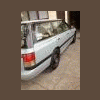
Hey im new to this forum but here it is i got a 1990 subaru legacy wagon i bought for $400. Its got 235000 miles on it and so far Ive painted it replaced the clutch, basic tune up plugs, wires, ignition coil, and basic maintenance on all fluids and rear dif. my motor died after driving it 1700 miles so its time for a build and thats what im in the process of doing. Im putting a 1999 outback impreza ej22 motor in it that i scored for $120 it runs and its got 175000 miles on it! ill post pics once i figure out how to do it ! :headbang:

Welcome!


... ill post pics once i figure out how to do it ! :headbang:


Yes, we Love Pics here... I wrote an explanation about how to post pics on my "Public Profile" page, just do a Click on my Avatar and scroll down there to reach it.


Kind Regards.

  • Author
:drunk::headbang:thanks i appreciate it!

Please sign in to comment

You will be able to leave a comment after signing in

Sign In Now

Account

Navigation

Search

Search

Configure browser push notifications

Chrome (Android)
  1. Tap the lock icon next to the address bar.
  2. Tap Permissions → Notifications.
  3. Adjust your preference.
Chrome (Desktop)
  1. Click the padlock icon in the address bar.
  2. Select Site settings.
  3. Find Notifications and adjust your preference.