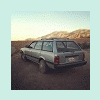
January 9, 201313 yr I drive a 4x4 1992 subaru loyale wagon and I recently popped my drivers side rear tire. the tread split and dented up my wheel well pretty good. Now my auto seatbelts have stopped working. I have read on here before that there is a control unit or something somewhere back there. Was wanting to know where and how exactly to get to that unit. if thats even the problem. Thank you
January 10, 201313 yr The control unit is to the rear top of the wheel well and you get at it by removing the trim from the inside. It's a 6"x6" silver box.
January 19, 201313 yr Author thank you for your help. the wiring on the bottom side was knocked out. seat belts work again!
January 19, 201313 yr Neat! I just learned something about Subaru's from the forum again. Been quite a while and I was starting to get an ego.

Please sign in to comment
You will be able to leave a comment after signing in
Sign In Now