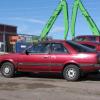
February 8, 201313 yr Hello all in USMB world, Happy to be a new member, Thanks. I've had many different models of Subaru over the years, none modified, but its been a while. My newest to me is an '89 GL 3dr D/R 5 Spd that I bought last Saturday. Even before buying it, but not before checking out some of ya'll's too cool modified Subaru', it was earmarked for a small lift and not so small tires. The Info here is inspiring! So far, I think a 2" strut lift, 6 lug conversion, 2.2 swap, I want it to go anywhere my Suburban will go and beyond while still being a good daily driver. I love reading about and seeing what others have done. Amazing! There is probably a thread I haven't found on it yet but I found this Impreza and it's soon to be crushed. http://fortcollins.craigslist.org/pts/3564522993.html I'm wondering if the Struts out of this 97 Impreza would be a good change or not for my GL and if maybe the seats or anything else would be good to grab. Hate to see good parts get crushed. I am very interested in hearing ideas from other more experienced modifiers. Many of you have already been very helpful.
Please sign in to comment
You will be able to leave a comment after signing in
Sign In Now