Skip to content
View in the app

A better way to browse. Learn more.

Ultimate Subaru Message Board

A full-screen app on your home screen with push notifications, badges and more.

To install this app on iOS and iPadOS
  1. Tap the Share icon in Safari
  2. Scroll the menu and tap Add to Home Screen.
  3. Tap Add in the top-right corner.
To install this app on Android
  1. Tap the 3-dot menu (⋮) in the top-right corner of the browser.
  2. Tap Add to Home screen or Install app.
  3. Confirm by tapping Install.

Transmission Interchange 99 to 98 Outback Wagon

Featured Replies

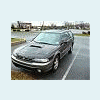
Hello,  I have a 98 OBW 235K with a tired transmission.  I have a real good lead on a 99 OBW.  Any issue with interchange?  I swear I looked around before posting but not finding anything concrete either way.

98 OBW auto trans = phase1

98 GT auto trans = phase1

99 forester auto trans = phase1

___________________________


99 OBW auto trans = phase2

99 GT auto trans = phase2

00 forester auto trans = phase2


you can not cross that line.

Edited by johnceggleston

  • Author

Hello and thank you for this information.  After reading your reply I did not move on it.

Please sign in to comment

You will be able to leave a comment after signing in

Sign In Now

Account

Navigation

Search

Search

Configure browser push notifications

Chrome (Android)
  1. Tap the lock icon next to the address bar.
  2. Tap Permissions → Notifications.
  3. Adjust your preference.
Chrome (Desktop)
  1. Click the padlock icon in the address bar.
  2. Select Site settings.
  3. Find Notifications and adjust your preference.