July 8, 201312 yr Just wanted to say hi to everyone, as I'm new to this forum. I drive an '88 Subaru GL that I've had for going on 4 years now, and love everything about this car! It definitely has its quirks for being 25 years old, but that's what makes it so great! My dad taught me to drive in an '87 Subaru 2-dr hatchback, and my first car was an '81 GL. My dad is a huge fan of these cars, and needless to say I've caught the Subaru bug. I'm really looking forward to being a part of this community!
July 9, 201312 yr Welcome... I'm up north... in Phoenix. Glad you're here. Let's see a few pictures of your Leone. We all like pictures here.
July 13, 201312 yr Im originally from Tucson! I live in Ireland now though... I miss cars that arent rusted out! welcome!
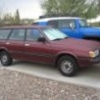
July 16, 201312 yr Author Thanks for the welcome guys! At the moment, I think all I can do is use this small profile pic to show a picture (but I'll make sure to post some better ones as soon as I can) Sorry for the late post by the way, was busier than I expected to be this last week. Nice Brat scole665! Must be a lot of fun! And to Legacy RallyGuy, haha ya I can imagine that is one downfall of Ireland, but I bet there are some pretty awesome things that make up for it! Thanks again for the welcome!

Please sign in to comment
You will be able to leave a comment after signing in
Sign In Now