Skip to content
View in the app

A better way to browse. Learn more.

Ultimate Subaru Message Board

A full-screen app on your home screen with push notifications, badges and more.

To install this app on iOS and iPadOS
  1. Tap the Share icon in Safari
  2. Scroll the menu and tap Add to Home Screen.
  3. Tap Add in the top-right corner.
To install this app on Android
  1. Tap the 3-dot menu (⋮) in the top-right corner of the browser.
  2. Tap Add to Home screen or Install app.
  3. Confirm by tapping Install.

86 gl wagon

Featured Replies

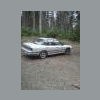
So lets see it is a tan 86 with sixlug and nissin 14 in rims and well sofar i have ripped the harness out to make it spfi since rats had eaten the old one (we found a dead rat in the dash) so the new harness is ran i just have to put my 88 dash parts in and put the motor and tranny in

  • Author

Oh and she shall be named butter finger lol

  • 5 weeks later...
  • Author

Its is alive after working on it for 14hrs today breaking stuff and setting it on fire its alive just a few more days and shes on the road

the fire was fun, turns out the extinguisher is a better tool than beer. and now im outta beer

Please sign in to comment

You will be able to leave a comment after signing in

Sign In Now

Account

Navigation

Search

Search

Configure browser push notifications

Chrome (Android)
  1. Tap the lock icon next to the address bar.
  2. Tap Permissions → Notifications.
  3. Adjust your preference.
Chrome (Desktop)
  1. Click the padlock icon in the address bar.
  2. Select Site settings.
  3. Find Notifications and adjust your preference.