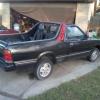
November 25, 201312 yr the shift lever on my Brat jumps a lot, really jumps a lot when I let off the gas... obviously one of the mounts is bad or totally shot. Any idea which one is the typical culprit?
November 26, 201312 yr Or the pitch stopper is either broken or the mount for the pitch stopper is broken on the firewall. I've seen both and just had to weld up my firewall mount.
November 26, 201312 yr The pitch stopper is the metal rod that runs from the back of the engine/front of the tranny to a bracket on the firewall just under the spare tire. It stops the tranny from pitching or jumping up in conjunction with the tranny mounts.
November 26, 201312 yr Author OK, is this that rod that sits in a bracket next to the clutch cable? I wondered what that was...it's just sitting there loose with no bushings. It seemed to have no function the way it is at the moment. It reminded me of the two rods on my jeep from the firewall that support the front grill. would just any old pair of rubber bushings or doughnuts and a couple of washers & nuts suffice? or is this a special bushing?
November 26, 201312 yr Any old bushings will work to get it tightened up. Definately could be part of the problem. Although if it's been like that for a while, I'll bet the mounts at the back of trans are shot.
November 27, 201312 yr G is correct.. If it's not attached or the bushings are shot, it's allowed undue pitching against the tranny mounts (which were hokie to begin with) and they're toast.

Please sign in to comment
You will be able to leave a comment after signing in
Sign In Now