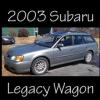
April 6, 201411 yr Hi Everyone, I've wanted a Subaru since the late '90s, and earlier this week, I finally got one. It's used, but I bought it through a dealer, and it seemed pretty decent. It's a 2003 Legacy Wagon with 93,000 miles. No rust, that I could see. The timing belt, headgaskets, and waterpump have already been done. I'm absolutely in love with it, but unfortunately, it's already had a problem or two. It's still under warranty, so I got those fixed without a problem. Two alternators and one battery later... things seem to be fine. I do have a question about the transmission, but I'll post that somewhere else. For now, I'm a happy Subie owner.
April 6, 201411 yr Welcome aboard, Retro! Here's to many happy miles in your wonderful Subie wagon. As to your transmission questions, browse through the "New Gen" forum--post your questions there--or try a "search" here on USMB. Good luck!

Please sign in to comment
You will be able to leave a comment after signing in
Sign In Now