May 8, 201411 yr http://www.ebay.com/itm/Subaru-Gearbox-5MT-Dual-range-conversion-kit-USA-only-Legacy-Impreza-Forester-/271274224042?fits=Make%3ASubaru
May 8, 201411 yr Where haVE you been? lol Even better than that are some importers picking them up regularly now. For like years. lol
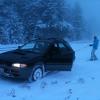
May 16, 201411 yr Author Hey Monstaru! I've been really busy with school. Its good to see you're still here though! Wait... you can get those from importers now??? Damnnnn! I wish that had happened when I was doing my tranny swap, so would have gone for it! My dream at this point would be to find a good deal on a phase-2 EJ22/dual range combo. My poor suby got a rod knock, so no more offroad for me till I can sort that one out. I put a post in the regular forums for 90 rigs about it. Least I have a Ninja 250 to get around on, and its summer so its good riding weather Anyway. aside from that, the car has been awesome, so thanks for all the help before. Edited May 16, 201411 yr by blk99obs
May 17, 201411 yr http://www.ebay.com/itm/Subaru-Gearbox-5MT-Dual-range-conversion-kit-USA-only-Legacy-Impreza-Forester-/271274224042?fits=Make%3ASubaru

Please sign in to comment
You will be able to leave a comment after signing in
Sign In Now