Skip to content
View in the app

A better way to browse. Learn more.

Ultimate Subaru Message Board

A full-screen app on your home screen with push notifications, badges and more.

To install this app on iOS and iPadOS
  1. Tap the Share icon in Safari
  2. Scroll the menu and tap Add to Home Screen.
  3. Tap Add in the top-right corner.
To install this app on Android
  1. Tap the 3-dot menu (⋮) in the top-right corner of the browser.
  2. Tap Add to Home screen or Install app.
  3. Confirm by tapping Install.

Greetings from MI

Featured Replies

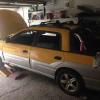
I just bought my first Subaru--a project Baja. I'm pretty pumped to have the awesomeness of Subaru AWD this winter; the last one about killed me.  Many thanks in advance for the help I'm going to ask for from the members of the forum.


Cheers,


Mike

Edited by mcmono50

Welcome! Where in MI are you from? Muskegon here. I maintain an 05 Baja for my parents, and its awesome in the winter. Ours is running 215/70/16 BFG all terrains.

Welcome. I am not in michigan, but i grew up around Coldwater. Happy Subaru from Wisconsin (and a hoosier native)

Please sign in to comment

You will be able to leave a comment after signing in

Sign In Now

Account

Navigation

Search

Search

Configure browser push notifications

Chrome (Android)
  1. Tap the lock icon next to the address bar.
  2. Tap Permissions → Notifications.
  3. Adjust your preference.
Chrome (Desktop)
  1. Click the padlock icon in the address bar.
  2. Select Site settings.
  3. Find Notifications and adjust your preference.