Skip to content
View in the app

A better way to browse. Learn more.

Ultimate Subaru Message Board

A full-screen app on your home screen with push notifications, badges and more.

To install this app on iOS and iPadOS
  1. Tap the Share icon in Safari
  2. Scroll the menu and tap Add to Home Screen.
  3. Tap Add in the top-right corner.
To install this app on Android
  1. Tap the 3-dot menu (⋮) in the top-right corner of the browser.
  2. Tap Add to Home screen or Install app.
  3. Confirm by tapping Install.

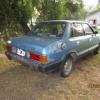
Barn Find in Argentina Gen1 Brat

Featured Replies

  • Author

In the middle picture of the first post, it's clearly there. Can't see it in the later ones though. I wonder.

All mud flaps are there, maybe behind the grass in that pic! The only thing i need to correct is front left fender, it had a little crash and the one that solve that problem didn't do it well… Don't worry guys!!! I'll take lot of care of her!!! 

Ooh I'm sorry, I didn't see you had answered that already! Good!

Please sign in to comment

You will be able to leave a comment after signing in

Sign In Now

Account

Navigation

Search

Search

Configure browser push notifications

Chrome (Android)
  1. Tap the lock icon next to the address bar.
  2. Tap Permissions → Notifications.
  3. Adjust your preference.
Chrome (Desktop)
  1. Click the padlock icon in the address bar.
  2. Select Site settings.
  3. Find Notifications and adjust your preference.