Skip to content
View in the app

A better way to browse. Learn more.

Ultimate Subaru Message Board

A full-screen app on your home screen with push notifications, badges and more.

To install this app on iOS and iPadOS
  1. Tap the Share icon in Safari
  2. Scroll the menu and tap Add to Home Screen.
  3. Tap Add in the top-right corner.
To install this app on Android
  1. Tap the 3-dot menu (⋮) in the top-right corner of the browser.
  2. Tap Add to Home screen or Install app.
  3. Confirm by tapping Install.

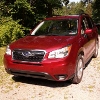
Subaru AWD Beats Honda and Toyota

Featured Replies

http://www.consumerreports.org/cro/magazine/2015/09/do-you-really-need-awd-in-the-snow/index.htm?video_id=4503044972001


You might need to scroll down to the video.  Also, you might need to subscribe to Consumer Reports Online to view it.  They found the Forester significantly better in keeping the vehicle under control in very snowy conditions versus the CRV and RAV4.

Edited by jjou812

Dude.  Tell us something we didn't already know. 


(This IS a Subaru enthusiast forum. ;) )


Emily

Please sign in to comment

You will be able to leave a comment after signing in

Sign In Now

Account

Navigation

Search

Search

Configure browser push notifications

Chrome (Android)
  1. Tap the lock icon next to the address bar.
  2. Tap Permissions → Notifications.
  3. Adjust your preference.
Chrome (Desktop)
  1. Click the padlock icon in the address bar.
  2. Select Site settings.
  3. Find Notifications and adjust your preference.