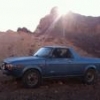
August 17, 20169 yr I have been meaning to post this. Hauled my bike to the shop 2 hours away. While on reserve drive in Missoula Montana a WRX got up next to me and took a photo gave us thumbs up.
August 17, 20169 yr Wow we don't see many gen 1 brumbys /brats anymore - most have rusted away to nothing
August 20, 20169 yr I love it... What size tires are those? I like the way they fit the fenders. Are you using the cheesy bumper mounted hitch?
August 20, 20169 yr Author Yes, Croak its the stock hitch but better than the bumper only ones. You can see here they attach to the frame rails also. There were only a couple hundred pounds of tongue weight, with my bike and trailer The tires are 195/75/14 on Nissan rims I cut and moved the backspacing out
July 4, 20178 yr Nice! Here is a pic of my 79' hauling some barrels for scenery in a High School One Acts night. Local winery generously loaned them to us if we could transport them. I got the Brat the day before this picture was taken. https://drive.google.com/file/d/0B4hYW5xQU7URUDlQZDJyeTBza3c/view?usp=sharing

Please sign in to comment
You will be able to leave a comment after signing in
Sign In Now